One-Factor Authentication - CTF Challenge Write-Up
"Times were hard, we couldn't afford the second factor."
1. Initial Recon - Inspecting the Web App
I started by opening the browser devtools and checking the elements, console, and network tabs on the login page. Nothing obvious like hidden fields, debug endpoints, or exposed flags were present.
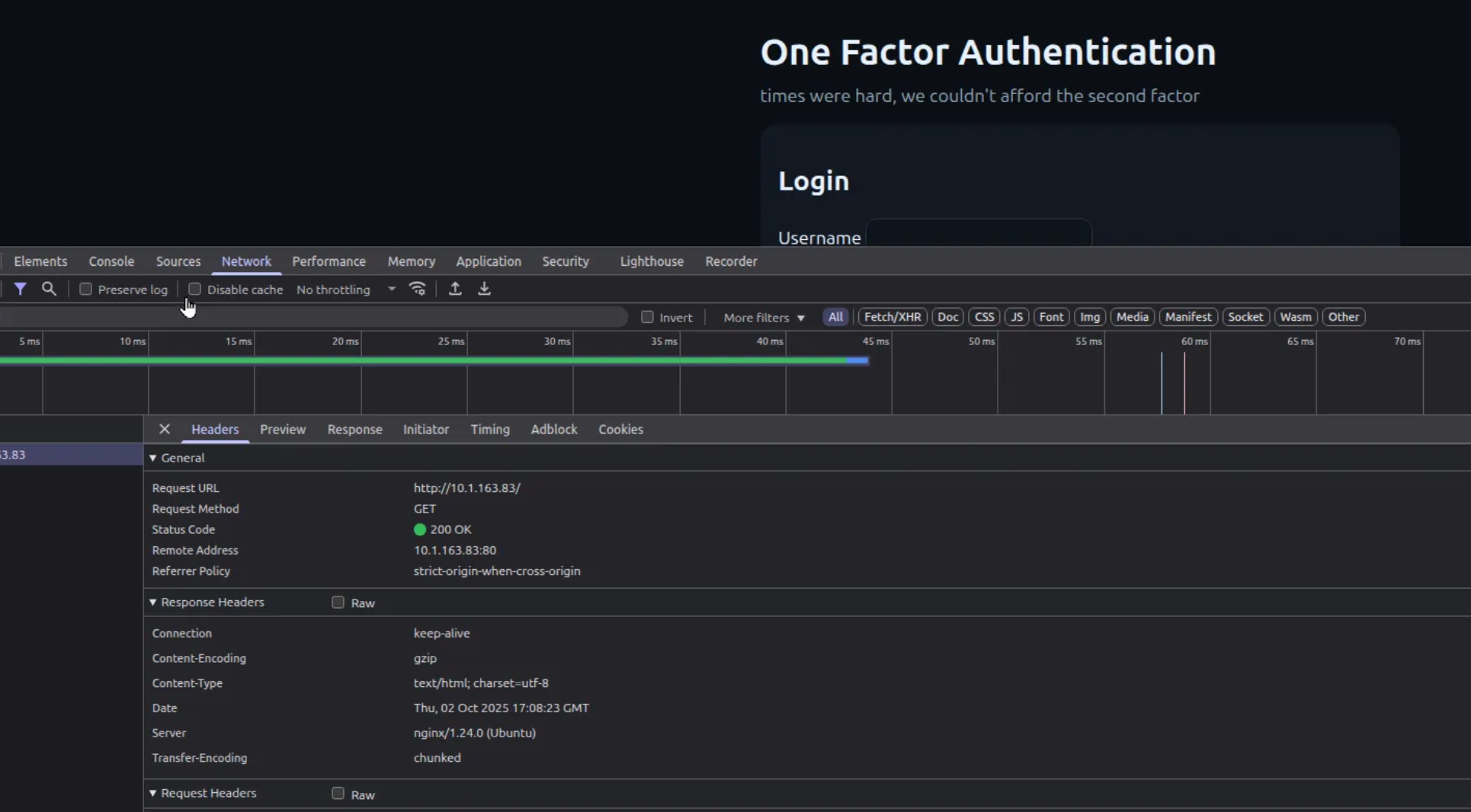
Login Page HTML
Viewing the page source showed a simple login form with no obvious vulnerabilities beyond standard username/password handling:
<!doctype html>
<html lang='en'>
  <head>
    <meta charset='utf-8'>
    <meta name='viewport' content='width=device-width, initial-scale=1'>
    <title>One Factor Authentication</title>
    <style>
      body { font-family: system-ui, -apple-system, Segoe UI, Roboto, sans-serif; background:#0b0f14; color:#e6f1ff; margin:0 }
      main { max-width: 560px; margin: 3rem auto; padding: 1rem }
      .card { background:#121821; padding:1rem; border-radius:14px }
      input, button { padding:.6rem .8rem; border-radius:10px; border:1px solid #253140; background:#0e141c; color:#e6f1ff }
      label { display:block; margin:.75rem 0 }
      button { background:#4fd1c5; border:0; color:#062525; font-weight:700; cursor:pointer }
      .flag { font-family: ui-monospace, SFMono-Regular, Menlo, Consolas, monospace; background:#0e141c; padding:.5rem .75rem; border-radius:10px; display:inline-block }
    </style>
  </head>
  <body>
    <main>
      <h1>One Factor Authentication</h1>
      <p style="color:#90a4b8;margin-top:-.6rem">times were hard, we couldn't afford the second factor</p>
      <div class="card">
        <h2>Login</h2>
        <form method='post' action='/login'>
          <label>Username <input name='username' autocomplete='username' required></label>
          <label>Password <input name='password' type='password' autocomplete='current-password' required></label>
          <button type='submit'>Sign in</button>
        </form>
      </div>
    </main>
  </body>
</html>
2. Checking robots.txt
As usual, I checked /robots.txt to see if the
application accidentally exposed anything interesting. In this case,
nothing useful was listed.

3. Port Scanning - Rustscan and Nmap
Next, I scanned the target to see what services were exposed. I used Rustscan as a fast front-end to Nmap:
rustscan -a 10.1.163.83Open ports discovered:
22/tcp   open  ssh
80/tcp   open  http
5000/tcp open  upnp
The Nmap output confirmed the same:
Nmap scan report for 10.1.163.83
PORT     STATE SERVICE
22/tcp   open  ssh
80/tcp   open  http
5000/tcp open  upnp
4. Directory Brute Forcing with Gobuster
I ran Gobuster against the web root to look for hidden paths or endpoints:
gobuster dir \
  -u http://10.1.163.83 \
  -w /home/user/Tools/SecLists/Discovery/Web-Content/directory-list-2.3-medium.txt \
  -o gobuster.txt
Key findings:
/login      (Status: 200)
/success    (Status: 302) [--> /login]
/verify     (Status: 302) [--> /login]
/otp        (Status: 302) [--> /login]
The /otp endpoint stood out as likely related to the
one-time password mentioned in the challenge name.
5. Hitting /otp and Inspecting the Session Cookie
When I visited /otp and looked at the response in the
browser devtools, a session cookie was set:
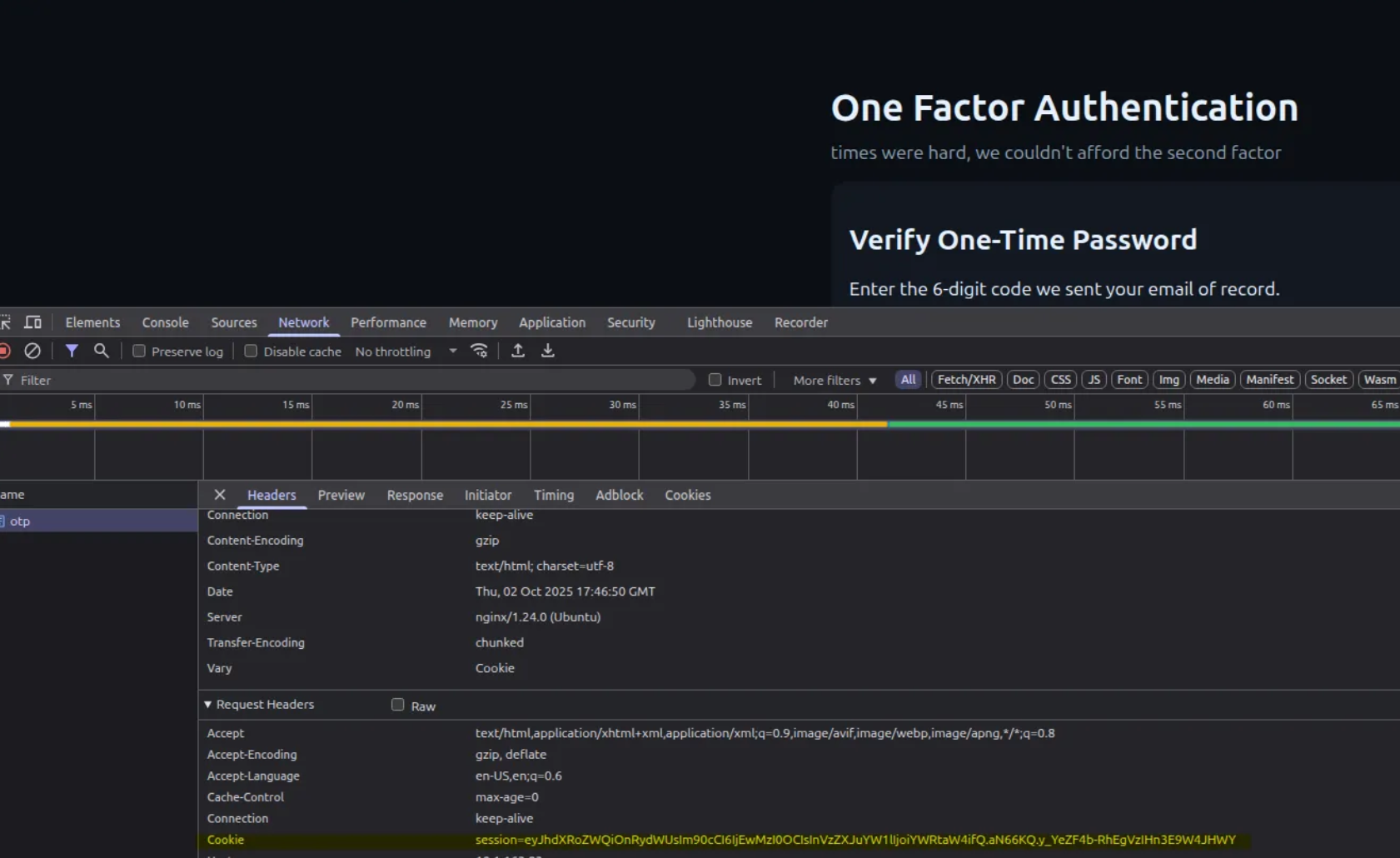
The cookie value looked like Base64, which is a common encoding used to hide (but not securely protect) structured data.
6. Decoding the Cookie and Extracting the OTP
I copied the cookie value and decoded it as Base64. This revealed JSON-like data that actually contained the OTP in clear text.
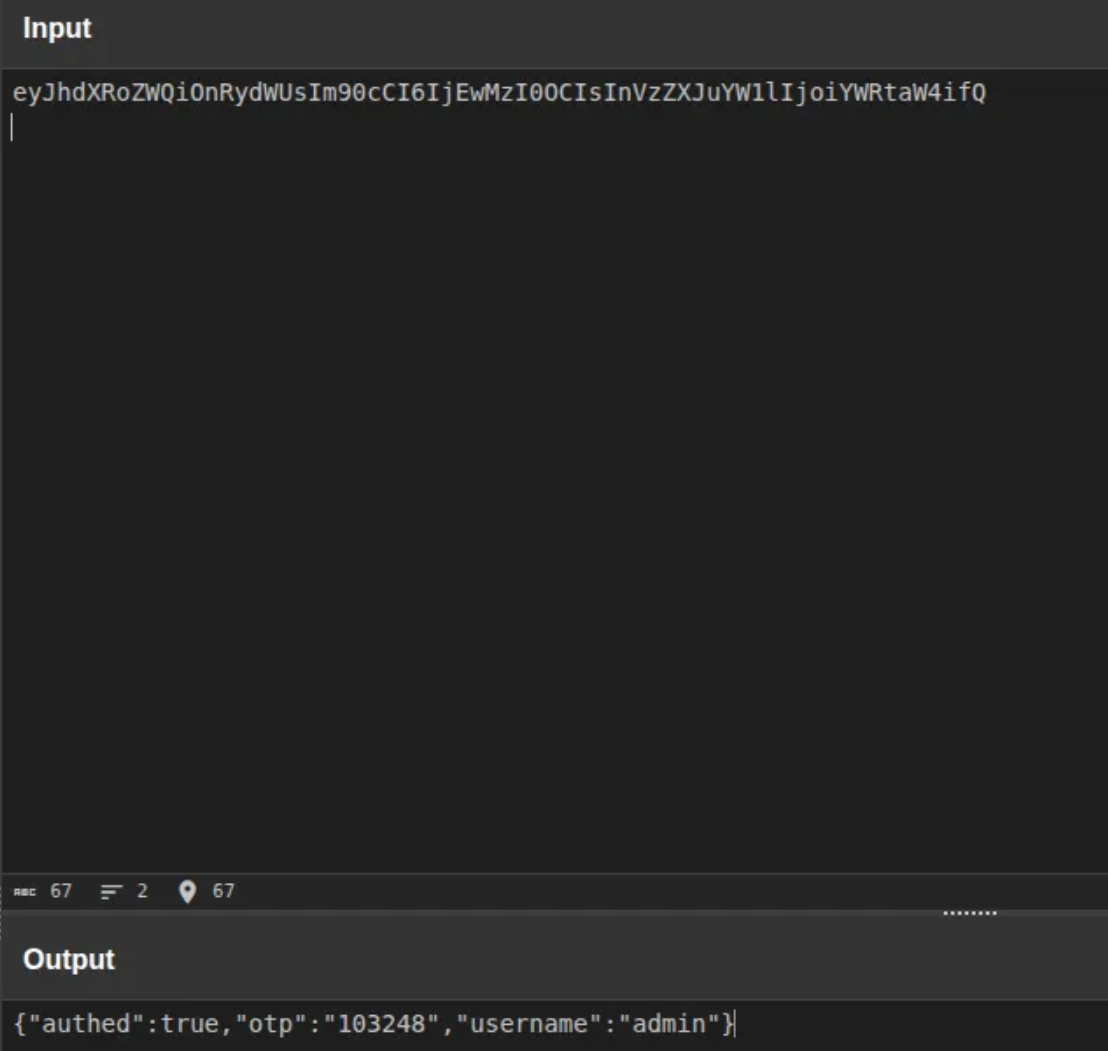
With the OTP in hand, I could complete the authentication flow and was redirected to the success page where the flag was displayed:
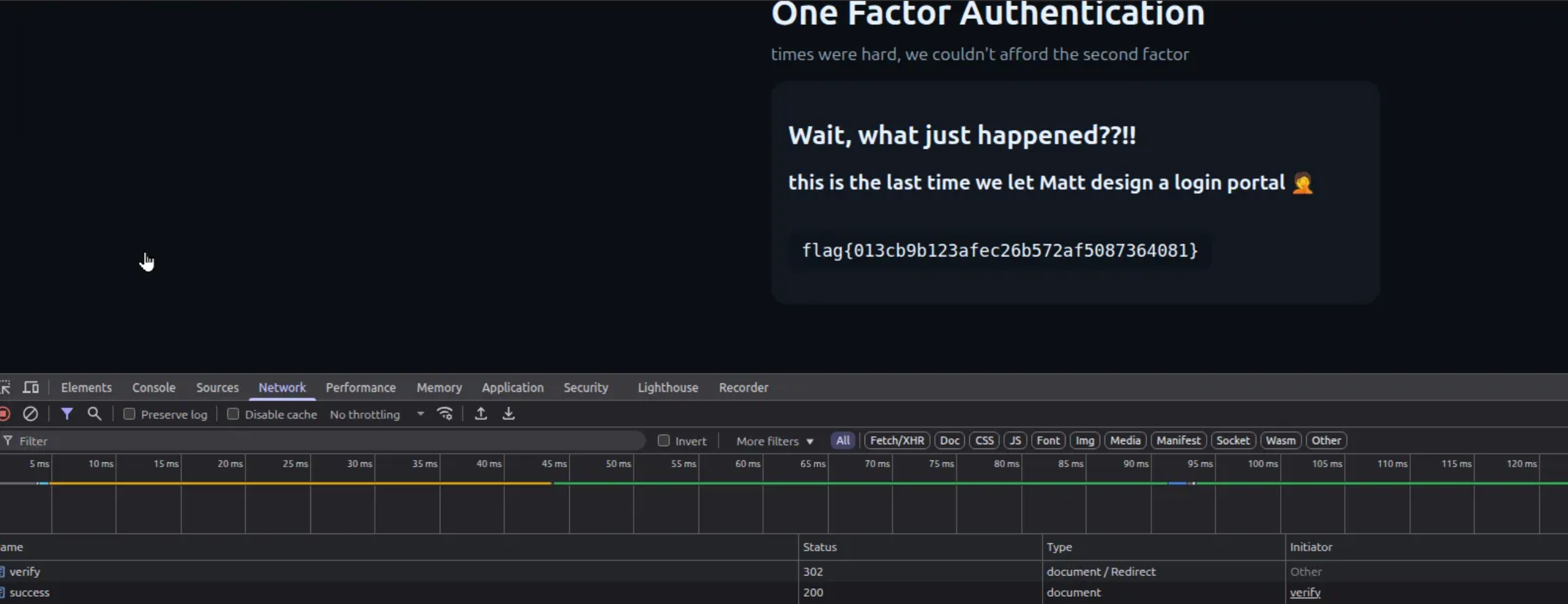
Final Flag
flag{013cb9b123afec26b572af5087364081}The core issue here is that the OTP was stored directly in a session cookie using only Base64 encoding. Encoding is not encryption - anyone with access to the cookie can decode it and impersonate a valid OTP.