SANDY: Crypto Wallet Stealer Malware
A look at SANDY.exe, a packed AutoIt specimen that
unpacks into a crypto wallet stealer targeting browser extensions
and desktop wallets.
1. Challenge Prompt
The story: my friend Sandy is “really into cryptocurrencies” and wants to help protect my wallets. She shares a bunch of Chrome extensions to manage them and then hands over a “cool program” that supposedly adds extra protection so hackers can’t mess with my wallets.
Of course, this is a CTF, so the question is: is Sandy actually helping, or is this a wallet stealer pretending to be a safety tool?
2. First Look: Download & Basic Triage
The challenge provides an archive: SANDY.zip. After
extracting it, we’re left with a single file:
SANDY.exe.
I started with the usual quick triage commands:
cyberaya@ctf-mint:~/huntress2025/day3$ file SANDY.exe
SANDY.exe: PE32 executable (GUI) Intel 80386, for MS Windows, UPX compressed, 3 sections

cyberaya@ctf-mint:~/huntress2025/day3$ strings -n 8 SANDY.exe
!This program cannot be run in DOS mode.
MT@Dhjf2
9$(b[t|h,
\g is not followed by a
n (optiona
}stenNEWLI
epeatina DEF;g
6Bmo~ th
7dr: pPv
f UTF-8pde)|
...

<assembly xmlns="urn:schemas-microsoft-com:asm.v1" manifestVersion="1.0">
    <assemblyIdentity
        type="win32"
        processorArchitecture="*"
        version="3.0.0.0"
        name="AutoIt3"
    <description>AutoIt v3</description>
...
KERNEL32.DLL
ADVAPI32.dll
COMCTL32.dll
...
VirtualProtect
VirtualAlloc
VirtualFree
ExitProcess
...
From just file and strings we already
know:
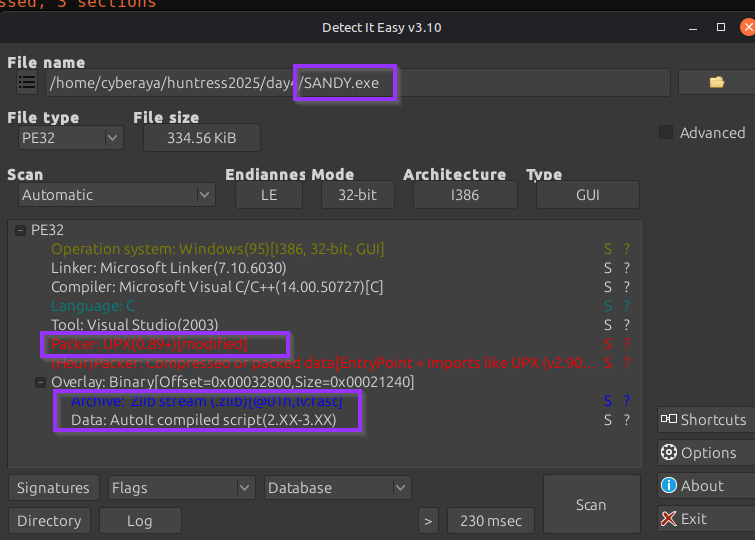
- The binary is UPX packed.
- It contains metadata for AutoIt3, hinting that there’s an embedded AutoIt script.
- The imports include suspicious APIs like VirtualProtect, VirtualAlloc, and VirtualFree.
To double-check the packing and confirm AutoIt, I also dropped the file into Detect-It-Easy.
3. Unpacking the Sample with UPX
Since the sample is packed with UPX, the first move is to try a clean unpack with the tool itself:
cyberaya@ctf-mint:~/huntress2025/day3$ upx -d SANDY.exe -o SANDY_unpacked.exe
                       Ultimate Packer for eXecutables
                          Copyright (C) 1996 - 2024
UPX 4.2.2       Markus Oberhumer, Laszlo Molnar & John Reiser    Jan 3rd 2024

        File size         Ratio      Format      Name
   --------------------   ------   -----------   -----------
    567872 <-    342592   60.33%    win32/pe     SANDY_unpacked.exe
Re-running file on the unpacked sample confirms that
UPX is no longer present:
cyberaya@ctf-mint:~/huntress2025/day3$ file SANDY_unpacked.exe
SANDY_unpacked.exe: PE32 executable (GUI) Intel 80386, for MS Windows, 4 sections
With the unpacked PE in hand, the next goal is to carve out the embedded AutoIt script.
4. Extracting the AutoIt Script
Knowing this is an AutoIt-based sample, I used AutoIt-Ripper to recover the original script. I ran it in a Python virtual environment:
(venv) cyberaya@ctf-mint:~/huntress2025/day3/AutoIt-Ripper/autoit_ripper$ \
venv/bin/autoit-ripper /home/cyberaya/huntress2025/day3/SANDY_unpacked.exe output_dir
INFO:root:The output directory doesn't exist, creating it
INFO:root:Storing result in output_dir/script.au3
script.au3.
Now we can switch to static analysis on
script.au3 using a text editor.
5. Finding the Embedded Base64 Chunks
While scrolling through script.au3, a large block of
Base64-looking data stood out. It was stored in a variable named
$base64Chunks as multiple concatenated strings.
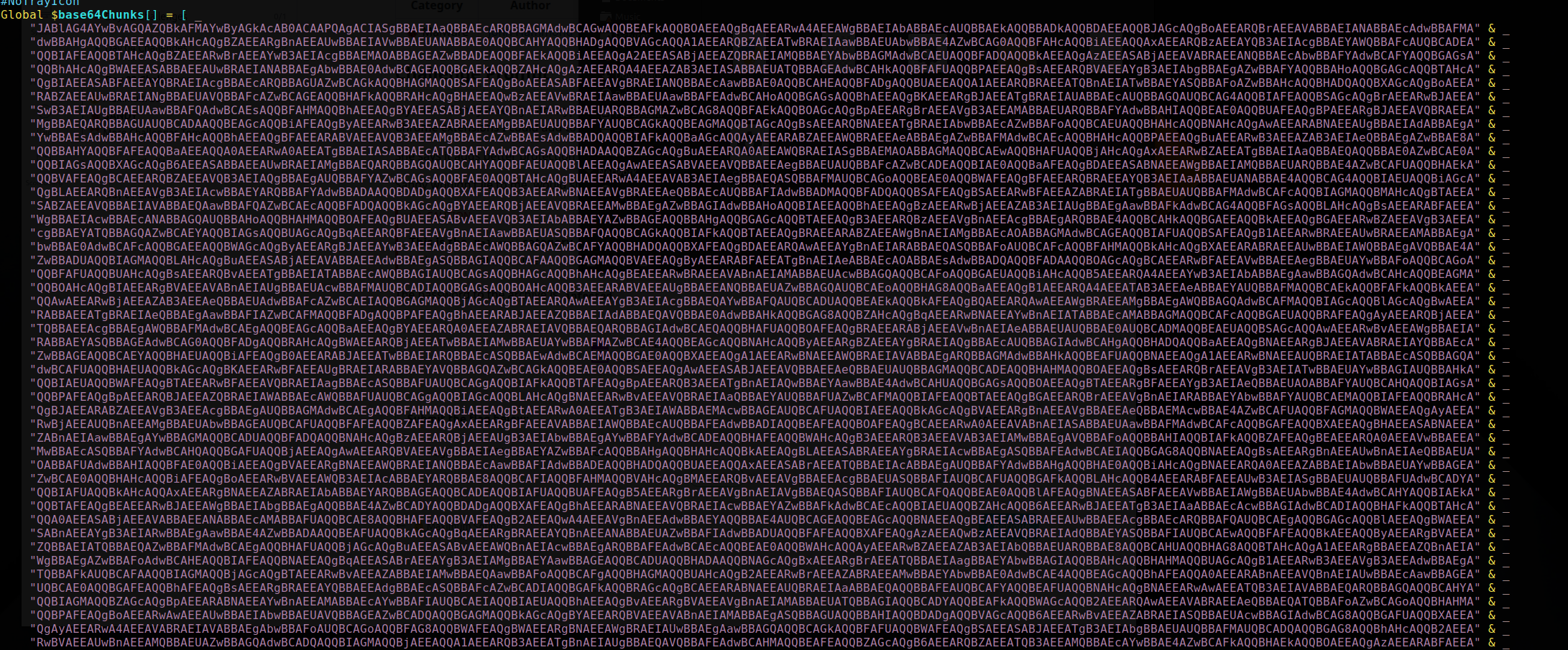
$base64Chunks.
I copied the entire Base64 blob into CyberChef for cleaning and decoding.
6. Cleaning & Decoding Layer 1 in CyberChef
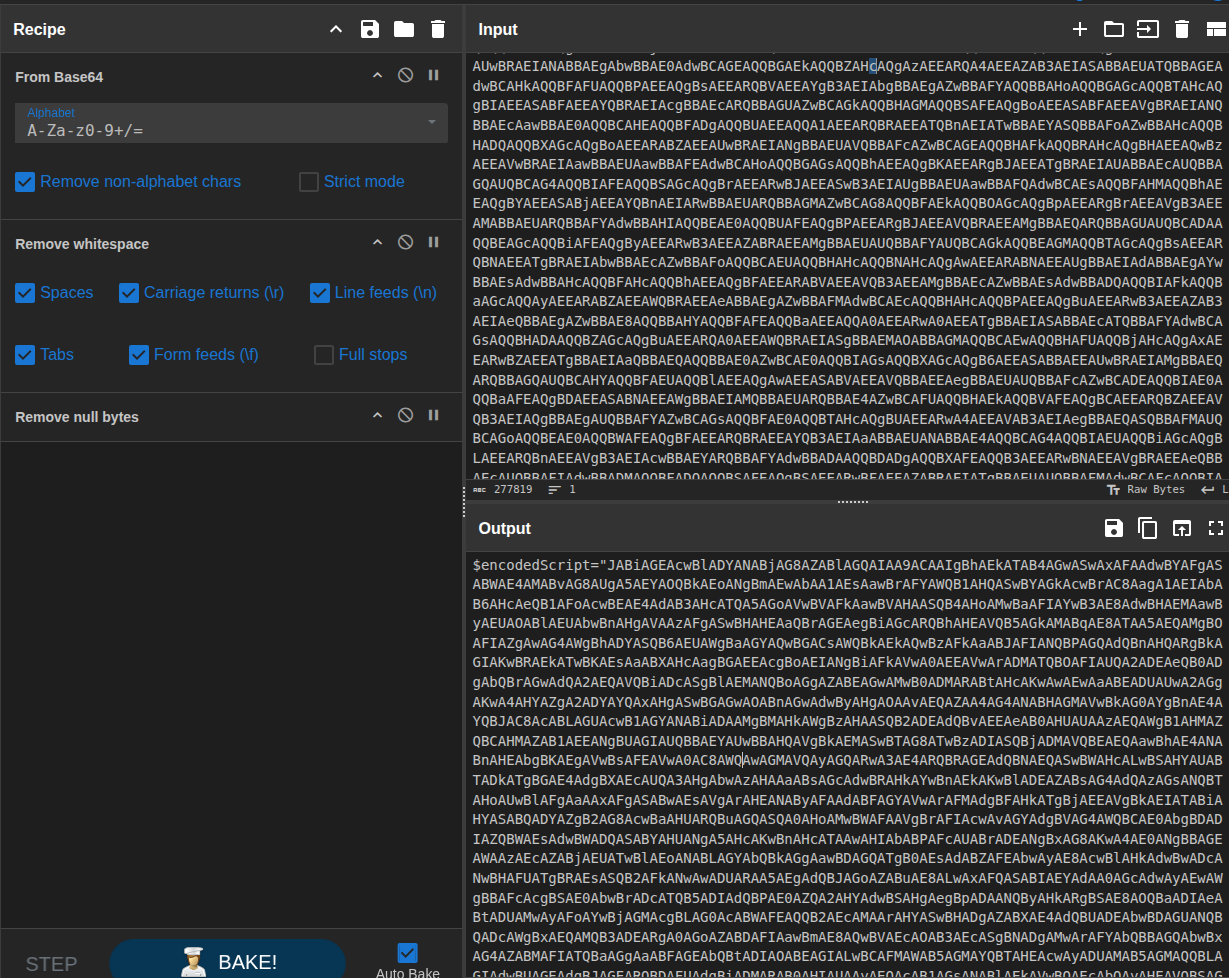
The first step was to normalize the blob by stripping out extra characters and whitespace. I used a CyberChef recipe that:
- Removed ampersands (
&) - Removed quotes (
") - Removed underscores (
_) - Removed whitespace
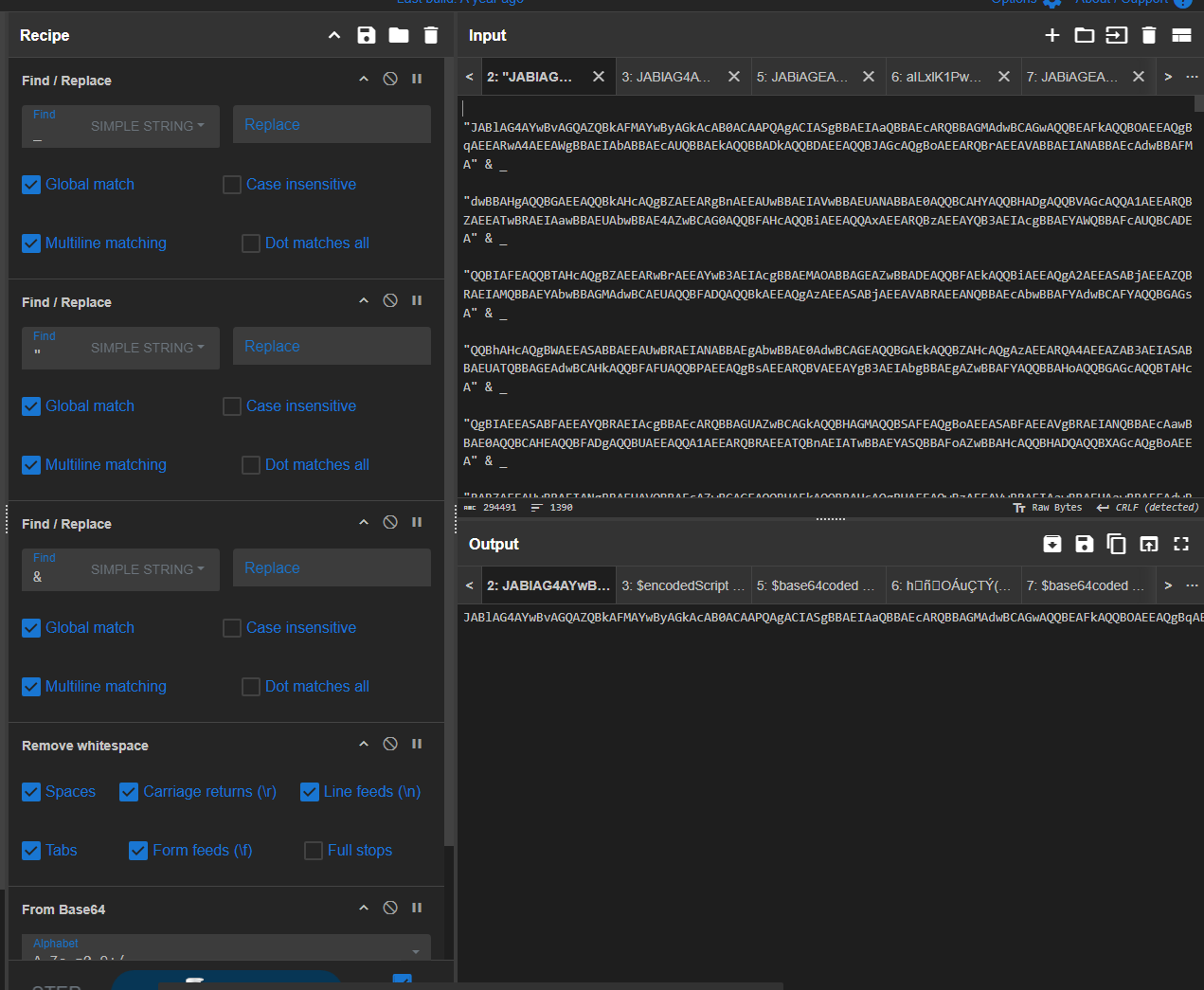
In a new CyberChef tab, I pasted that string and used:
- From Base64
- Remove whitespace
- Remove null bytes
The result was another layer of Base64-style content - a classic multi-stage encoding pattern.
7. Peeling More Layers - Toward the Payload
I repeated the same process again in a fresh CyberChef tab:
- Paste the new blob.
- Use From Base64.
- Remove whitespace and null bytes.
This time, the output started to look much more structured. Scrolling through the decoded text, I began to see JSON-like data describing applications and browser extensions.
{"name":"Guarda-A","path":"Guarda"},{"name":"Armory-A","path":"Armory"},
{"name":"DELTA-A","path":"DELTA"},{"name":"TREZOR-A","path":"TREZORBridge"},
{"name":"Bitcoin-A","path":"Bitcoin"},{"name":"binance-A","path":"binance"},
{"name":"mexc-A","path":"mexc"}]},{"root":"%localappdata%","targets":[
{"name":"Blockstream-A","path":"BlockstreamGreen"},{"name":"Coinomi-A","path":"Coinomi"}]},
{"root":"%localappdata%\\Google\\Chrome\\UserData\\Default\\Extensions","targets":[
{"name":"Metamask-C","path":"nkbihfbeogaeaoehlefnkodbefgpgknn"},
{"name":"MEWcx-C","path":"nlbmnnijcnlegkjjpcfjclmcfggfefdm"}]
At this point it’s crystal clear: the malware is enumerating a long list of crypto wallets and browser extensions. This isn’t “extra protection” - it’s a wallet stealer.
8. Finding the Flag
Continuing to scroll through the decoded content, I eventually spotted a familiar key/value pair buried near the end of the structure:
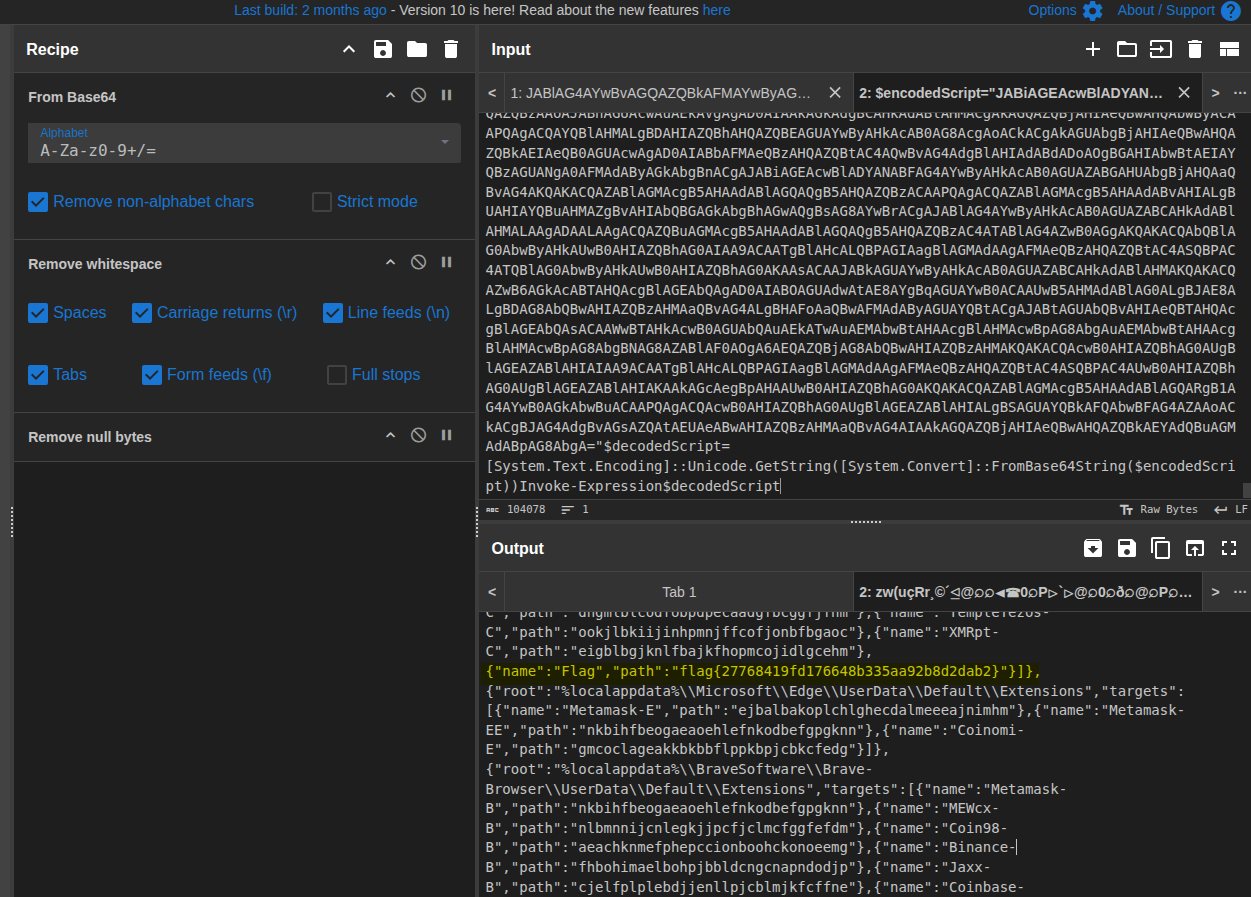
{"name":"Flag","path":"flag{27768419fd176648b335aa92b8d2dab2}"}]},
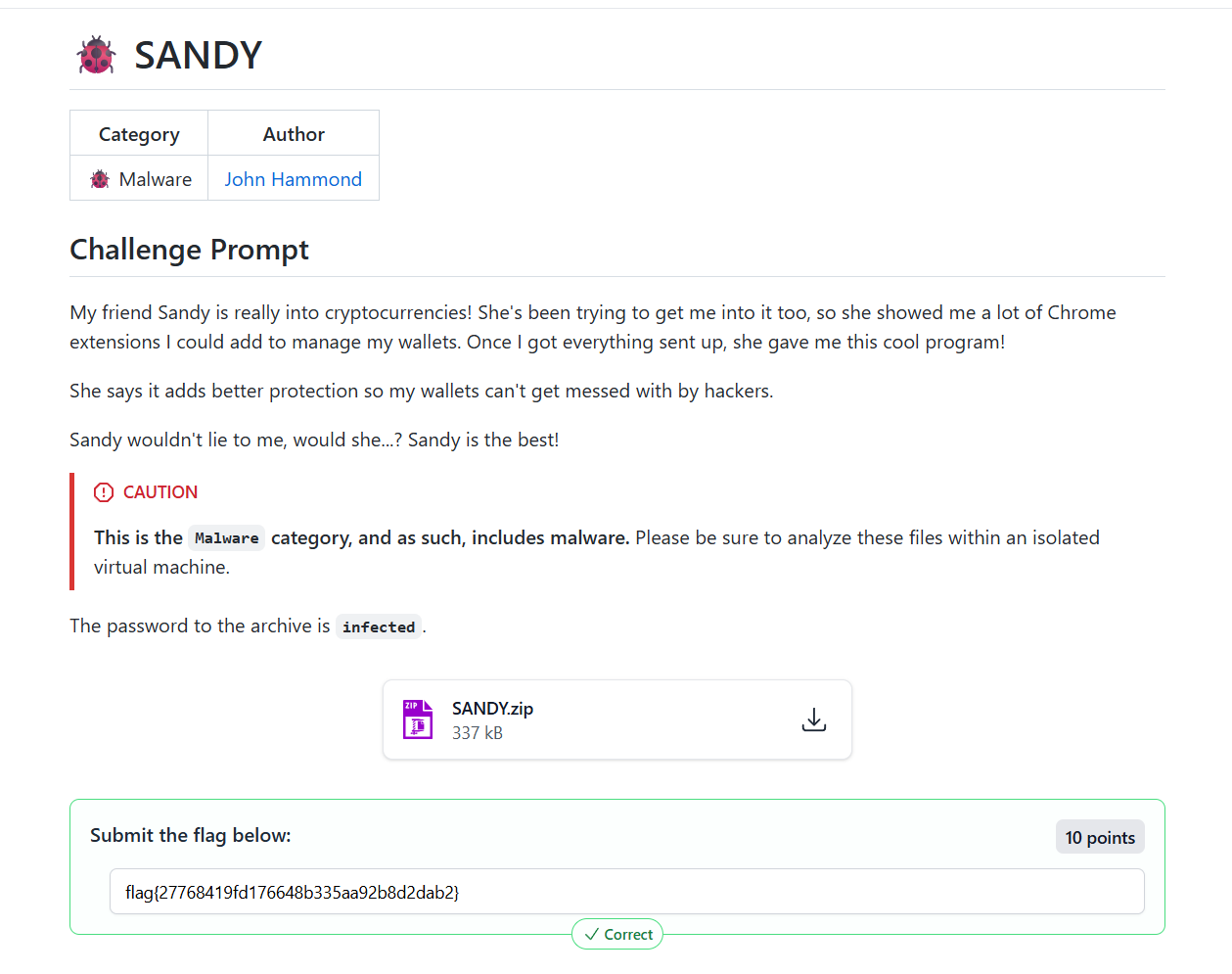
The final CTF flag is:
flag{27768419fd176648b335aa92b8d2dab2}.
9. Behavioral Summary
While the challenge focuses on static extraction, we can infer the high-level behavior of SANDY from the decoded configuration and file paths:
- Targets both desktop crypto wallets (e.g. Guarda, Armory, Coinomi) and Chrome-based wallet extensions (e.g. MetaMask, Phantom, Trust Wallet, Binance, Coinbase, etc.).
-
Likely searches in
%localappdata%and%localappdata%\Google\Chrome\UserData\Default\Extensionsto locate wallet data and extension directories. - Once located, it can exfiltrate wallet data, seed phrases, or configuration information back to the attacker.
The social-engineering story (“Sandy is protecting your wallets”) is the lure; the underlying behavior is straight-up theft.
10. Defensive Notes (If This Were Real)
In a real environment, a sample like this would be treated as a serious compromise involving potential financial loss. A few high-level points:
- User training: wallet “security tools” and random crypto utilities are high-risk - only install from trusted sources.
- Application control: restrict execution of unsigned binaries or unapproved tools, especially on endpoints used for financial activity.
- Browser extension hygiene: review installed extensions regularly and keep only what’s necessary.
- Telemetry: watch for processes enumerating wallet directories and browser extension paths at scale.
For the CTF, the key wins were recognizing UPX + AutoIt, unpacking, ripping the script, peeling Base64 layers, and exposing the configuration and embedded flag.