Trashcan - Forensics in the Windows Recycle Bin

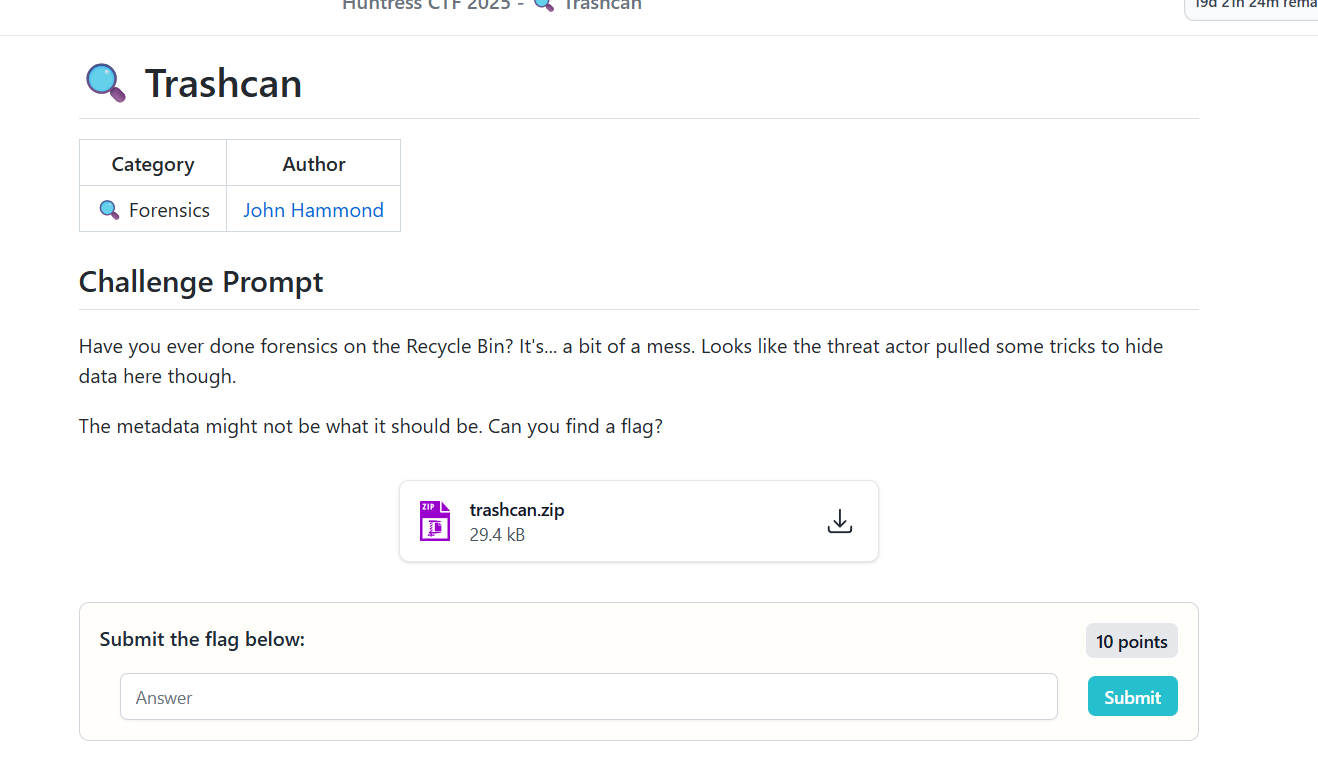
Challenge Prompt:
Have you ever done forensics on the Recycle Bin? It’s… a bit of a mess. Looks like the threat actor pulled some tricks to hide data here though. The metadata might not be what it should be. Can you find a flag?
1. Unzipping the challenge and initial exploration
After extracting trashcan.zip, the
directory structure immediately looked familiar. It resembled a
Windows Recycle Bin layout.

$I
$R
From prior forensics work, this mapping was clear:
-
$Ifiles store metadata (original path, deletion time, file size). -
$Rfiles contain the actual deleted data.
Each $Ixxxxx.txt typically
corresponds to a matching
$Rxxxxx.txt. Naturally, I checked
the $R files first.
2. Inspecting the $R files
I split the files into separate directories and ran
strings across everything in the
R folder:
strings *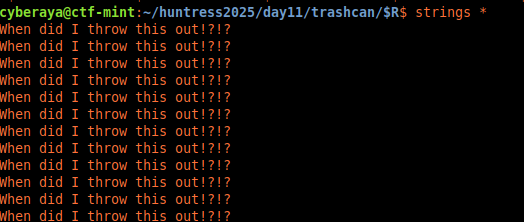
$R file contained the same
decoy text.
Every file repeated the same phrase:
When did I throw this out!?!?No metadata. No variation. Just noise. These were clearly decoy files.
3. Turning attention to the
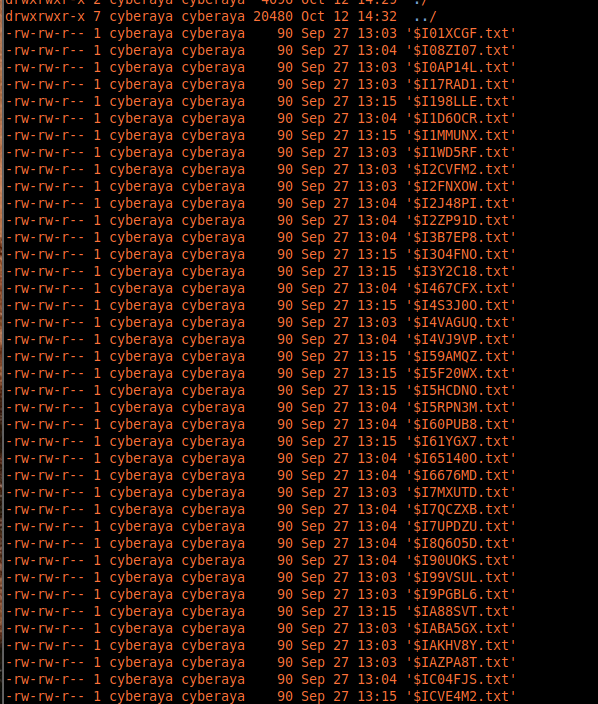
$I files
With $R ruled out, I pivoted to the
metadata files.
$I01XCGF.txt
$I08ZI07.txt
$I17RAD1.txt
$I198LLE.txt
...
I hex-dumped one of them to see what was inside:
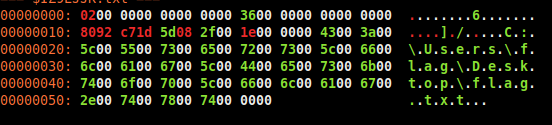
$I file showing
UTF-16LE patterns.
xxd '$I01XCGF.txt'00000010: 4300 3a00 5c00 5500 7300 6500 7200 7300 C:\Users
00000020: 5c00 6600 6c00 6100 6700 5c00 4400 6500 \flag\De
00000030: 7300 6b00 7400 6f00 7000 5c00 6600 6c00 sktop\fl
00000040: 6100 6700 2e00 7400 7800 7400 00 ag.txt.That decoded cleanly as UTF-16LE and pointed to:
C:\Users\flag\Desktop\flag.txtAt that moment it clicked - the metadata itself was being abused to hide the flag.
4. Sorting and automating with Python
I wanted to inspect all $I files in
chronological order and dump their hex
automatically. So I wrote a small Python helper:
#!/usr/bin/env python3
import os
import subprocess
from pathlib import Path

target_dir = Path.cwd()

files = [f for f in target_dir.iterdir() if f.is_file()]
files.sort(key=lambda f: f.stat().st_mtime)

for file in files:
    print(f"\n=== {file.name} ===")
    subprocess.run(["xxd", str(file)])
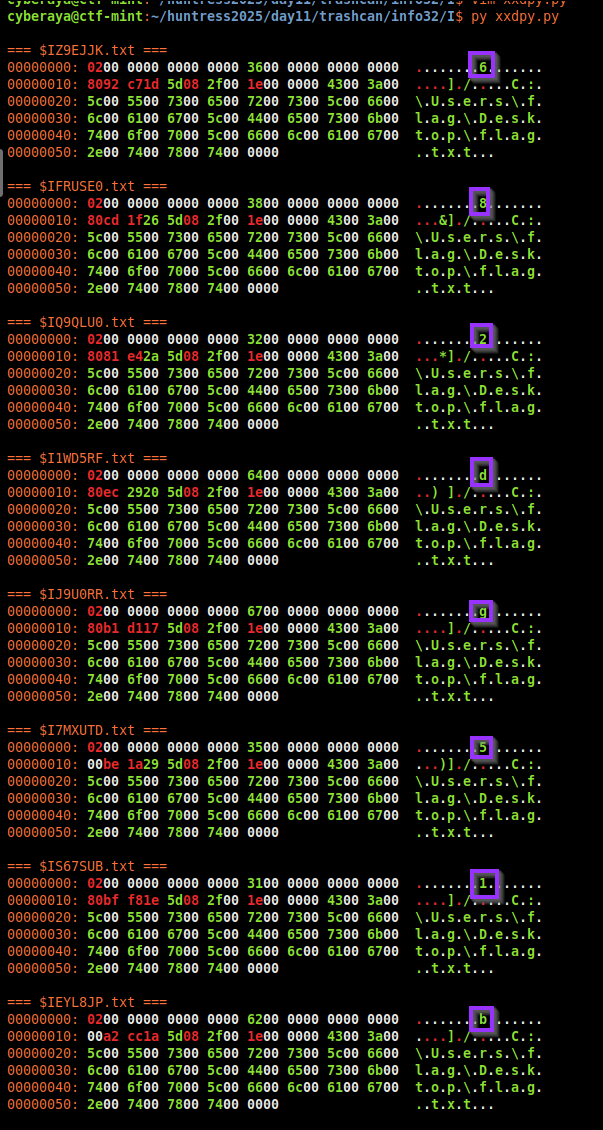
Reviewing the output, I noticed something odd - the original file size field changed between files and mapped cleanly to printable ASCII values.
5. Decoding the $I file structure
A Windows Recycle Bin $I file
(version 2) follows a known structure:
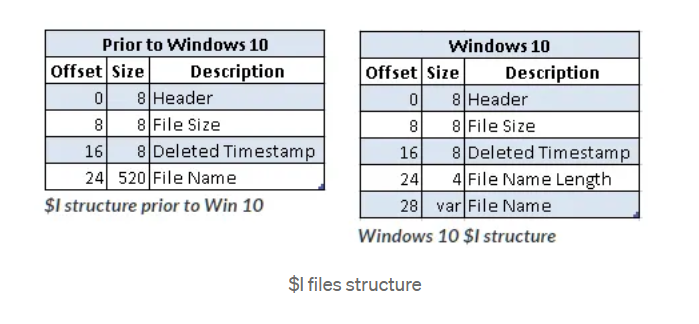
$I files.
I wrote a second Python script to parse these fields correctly and extract the encoded message:
#!/usr/bin/env python3
import struct
from pathlib import Path

I_DIR = Path("I")
rows = []

for p in sorted(I_DIR.glob("$I*.txt")):
    b = p.read_bytes()
    if len(b) < 0x1C:
        continue
    version = struct.unpack("<I", b[0x00:0x04])[0]
    if version != 2:
        continue
    size = struct.unpack("<Q", b[0x08:0x10])[0]
    del_time = struct.unpack("<Q", b[0x10:0x18])[0]
    rows.append((del_time, size))

rows.sort(key=lambda x: x[0])
message = "".join(chr(sz) for _, sz in rows if 32 <= sz <= 126)
print(message)
The output was close… but obviously obfuscated:

ffflllaaaggg{{{111ddd222bbb222bbb000555666777111eeeddd111eeeeee555888111222666777888888555000ddd555eee333222999}}}6. Understanding the repetition pattern
Every character was repeated - usually three times, sometimes six. That hinted at intentional run-length encoding.
Collapsing duplicates naively got close, but not correct. The fix was to divide run lengths by three.
s="ffflllaaaggg{{{111ddd222bbb222bbb000555666777111eeeddd111eeeeee555888111222666777888888555000ddd555eee333222999}}}"
out=[]
i=0
while i<len(s):
    j=i+1
    while j<len(s) and s[j]==s[i]:
        j+=1
    out.append(s[i]*((j-i)//3))
    i=j
print(''.join(out))
That finally decoded to the correct flag:
flag{1d2b2b05671ed1ee5812678850d5e329}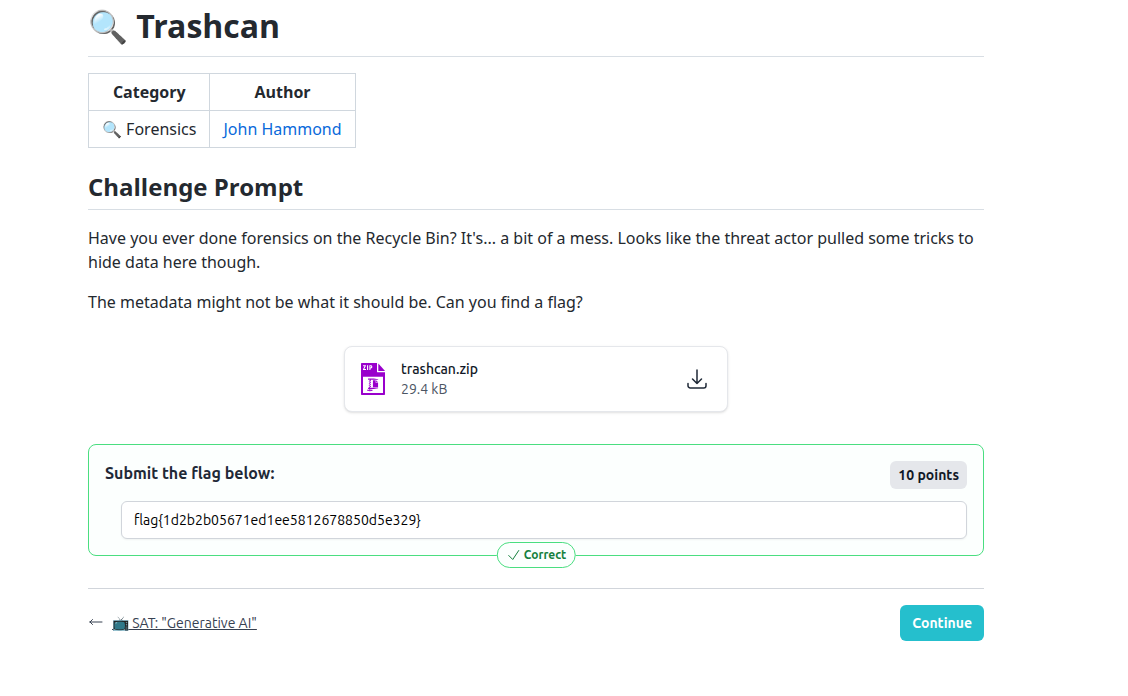
Lessons learned
-
Recycle Bin artifacts matter.
$Ifiles contain structured metadata that can be weaponized. -
Metadata can hide data.
The flag wasn’t in file contents, but in a metadata field. -
Patterns beat brute force.
Recognizing repetition saved time over blind guessing.
Related MITRE ATT&CK techniques
- T1070.004 - File Deletion - abuse of deletion artifacts to hide data.
- T1027 - Obfuscated Files or Information - encoding data in metadata fields.